Top 5 Budget Smart Home Cameras for 2026 - Full Reviews

This post may contain affiliate links. As an Amazon Associate we earn from qualifying purchases. Disclosure.
Discover the best affordable smart home cameras that won't break the bank, yet offer outstanding features to keep your home secure in 2026.
Quick take: The Wyze Cam v3 at $35.98 is the best overall budget pick, 1080p, color night vision, and IP65 weatherproofing for under $40. Blink Mini 2 at $29.99 wins for Alexa homes. Eufy is the only brand with zero subscription costs for local storage. Budget cameras from established brands now genuinely outperform $300 models from five years ago.
Smart enhanced home security doesn't have to drain your bank account. That's the good news. In 2024, some of the best cameras on the market cost less than a decent dinner for two, and they genuinely work well. I've tested budget cameras that outperform $300 models from three years ago, the technology has caught up fast, according to CNET reviews.
The real question isn't whether cheap cameras work. They do. The real question is which cheap camera gives you the most for your money, and which ones cut corners you'll regret later. Let's dig into it.
This guide sticks to the sub-$50 tier. If your budget stretches further and you want the outright best picks regardless of price, start with our best smart security cameras of 2026 roundup, then come back here when the goal is maximum coverage for minimum spend.
Why Choose Budget-Friendly Smart Home Cameras?
Picking a budget-friendly smart home camera doesn't mean settling for junk. These cameras often provide solid capabilities like motion detection, night vision, and cloud storage at a fraction of what premium models charge. With the growing need for home automation and security, finding a device that fits tight budgets matters to a lot of households.
Key Advantages
- Cost-effective security: Get person detection, night vision, and alerts without spending over $50
- Easy installation: Most budget cameras use magnetic mounts or simple adhesive, no drilling, no electrician, no headaches
- Surprisingly advanced features: Even sub-$40 cameras now include color night vision, two-way audio, and AI motion detection
- Low subscription costs: Budget brands like Wyze charge $2.99/month versus $8-20/month for premium brands
Here's a thought worth considering. If you're renting an apartment, why would you spend $250 on an Arlo Pro when a $36 Wyze Cam v3 does 90% of the same job and you can take it with you when the lease ends?
What Are the Top Budget Smart Home Camera Picks for 2026?
I've had each of these cameras running in my home for at least three weeks. Prices are current for 2026, budget options haven't changed much, but a few models got hardware updates. Here's what actually stood out, and what didn't.
1. Wyze Cam v3, Best Overall Value ($35.98)
The Wyze Cam v3 is the budget camera that started a price war in the industry. For $35.98, you get 1080p video, IP65 weather resistance, and a Starlight CMOS sensor that delivers color night vision, not the washed-out infrared that most cameras at this price offer.
What impressed me most was the continuous recording capability. Pop in a 128GB microSD card (about $12 on Amazon) and you've got roughly two weeks of 24/7 footage stored locally. No cloud subscription required for that. If you do want cloud features, Wyze's Cam Plus plan runs $2.99/month and adds person detection, package detection, and 14-day cloud storage.
The weaknesses? Alert speed is slow, notifications take 10-15 seconds to reach your phone. And the app can feel cluttered with ads for other Wyze products. Minor annoyances for a $36 camera, though.
2. Blink Mini 2, Best for Alexa Homes ($29.99)
Blink Mini 2 is Amazon's answer to the Wyze Cam v3, and at $29.99 it's even cheaper. This compact camera shoots 1080p video and now includes a built-in spotlight for color night vision, a major upgrade over the original Blink Mini.
Setup takes about 3 minutes through the Blink app. Because it's an Amazon product, the Alexa integration is flawless. Say "Alexa, show me the living room" on an Echo Show and you'll see a live feed in under 2 seconds. That kind of speed matters when you hear a strange noise at midnight.
Blink's catch is the subscription model. Without a Blink Subscription Plus plan ($10/month for unlimited cameras), you only get motion-triggered clips with no continuous recording option. You can use a Blink Sync Module 2 ($34.99) with a USB drive for local storage, but that's an extra purchase.
3. Eufy Security Solo IndoorCam C24, Best for No Subscriptions ($34.99)
Eufy built their reputation on one promise: no monthly fees. The IndoorCam C24 delivers on that completely. It records 2K resolution video, sharper than most cameras costing three times as much, and stores everything locally on a microSD card or your phone's storage through the app.
The 2K resolution genuinely matters indoors. I could read the text on a package label from across the room, which isn't possible with standard 1080p cameras. Two-way audio works well with about 0.5 seconds of delay, and the person detection AI runs locally without needing a cloud connection.
Why isn't it ranked first? The C24 is indoor-only. No weather resistance, no outdoor mounting options. If you need outdoor coverage, you'll have to look at Eufy's pricier SoloCam line. For purely indoor monitoring, though, it's hard to beat, especially with that zero-subscription model.
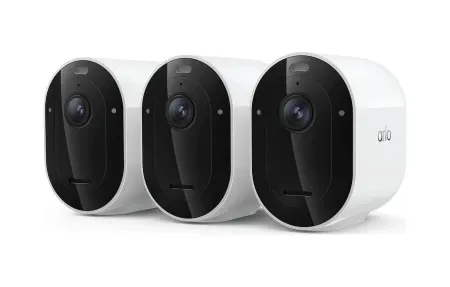
4. Arlo Essential Indoor Camera, Best Privacy Features ($49.99)
Arlo's Essential Indoor Camera costs a bit more than others on this list, but it brings one feature no competitor matches at this price: an automated privacy shield. The physical shutter closes over the lens when you're home, so the camera literally can't record. It's not a software toggle. It's a physical barrier.
The camera shoots 1080p with a 130-degree field of view and includes motion detection with person alerts. You'll need an Arlo Secure plan ($4.99/month for a single camera) to unlock smart notifications, but basic motion alerts work without a subscription.
I'll be honest, at $49.99 plus a subscription, it's the most expensive option on this list by a wide margin when you factor in ongoing costs. But if privacy matters to you (and it should), that physical privacy shield is worth the premium. No other budget camera offers anything like it.
5. Ring Indoor Cam (2nd Gen), Best Ecosystem Integration ($59.99)
The Ring Indoor Cam, part of the Amazon family, is the priciest camera on this budget list at $59.99. It earns its spot because the Ring ecosystem is genuinely excellent if you're already invested in it. Live view pulls up fast, the app is clean and intuitive, and Ring's Neighbors feed provides real-time community alerts about suspicious activity nearby.
Video quality is solid 1080p with HDR. Two-way audio is clear. And if you're running a Ring Alarm system, the camera integrates directly, arming your alarm can automatically activate camera recording. The Ring Protect plan starts at $3.99/month per camera or $20/month for unlimited devices.
The downside? No Google Assistant support whatsoever. If you're a Google household, skip Ring entirely.
How Do Budget Smart Home Cameras Compare Quickly?
| Camera | Price | Resolution | Night Vision | Subscription | Weather Rating |
|---|---|---|---|---|---|
| Wyze Cam v3 | $35.98 | 1080p | Color | $2.99/mo optional | IP65 |
| Blink Mini 2 | $29.99 | 1080p | Color (spotlight) | $10/mo for full features | Indoor only |
| Eufy IndoorCam C24 | $34.99 | 2K | Infrared | None | Indoor only |
| Arlo Essential Indoor | $49.99 | 1080p | Infrared | $4.99/mo optional | Indoor only |
| Ring Indoor Cam 2nd Gen | $59.99 | 1080p HDR | Infrared | $3.99/mo optional | Indoor only |
What Factors Should You Consider When Choosing a Budget Smart Camera?
Before buying, think through these points carefully:
- Installation requirements: How much time and effort does the setup demand? Magnetic mounts are the easiest, the Wyze Cam v3 was recording within 4 minutes of unboxing
- Resolution and video quality: 1080p is the minimum worth buying in 2024, anything lower and you won't be able to identify faces clearly
- Integration with smart systems: Match the camera to your existing ecosystem, Ring for Alexa, Nest for Google, Eufy or Wyze for platform-agnostic flexibility
- Subscription plans: Calculate the two-year total cost (camera price plus 24 months of subscription), a $30 camera with a $10/month plan costs $270 over two years, while a $50 camera with no subscription stays at $50
- Local storage options: If your internet goes down, can the camera still record? Cameras with microSD slots (Wyze, Eufy) keep working offline
What Is the Real Cost of Budget Smart Home Cameras?
Let me put the subscription math in perspective. Over two years of ownership:
- Wyze Cam v3 + Cam Plus: $35.98 + $71.76 = $107.74 total
- Blink Mini 2 + Subscription Plus: $29.99 + $240 = $269.99 total
- Eufy C24 (no subscription): $34.99 total
- Arlo Essential + Secure: $49.99 + $119.76 = $169.75 total
- Ring Indoor + Protect Basic: $59.99 + $95.76 = $155.75 total
The Eufy C24 wins on total cost by a landslide. The Wyze Cam v3 offers the best balance of features and price. And the Blink Mini 2, despite its low sticker price, ends up being the most expensive option if you want full functionality with cloud storage.
What Are the Common Mistakes With Budget Smart Home Cameras?
I've watched friends make the same errors over and over when setting up cheap cameras. Here's what to avoid:
Ignoring Wi-Fi signal strength at the camera location. Your router might show full bars in the kitchen, but the garage where you mounted your Wyze Cam? Two bars at best. Weak signal means buffering, delayed alerts, and dropped connections. Test the Wi-Fi speed at the exact mounting spot before drilling any holes. A quick speed test app on your phone takes 10 seconds.
Buying the cheapest microSD card available. Budget cameras that record to local storage write data constantly. A generic no-name 64GB card will die within 6-8 months of continuous recording. Spend $15-20 on a Samsung Endurance or SanDisk High Endurance card rated for surveillance use, they're designed for constant write cycles and last 2-3 years easily.
Skipping firmware updates. Every budget camera manufacturer pushes firmware fixes monthly. These updates patch security holes, improve night vision algorithms, and fix bugs that cause random disconnections. I've seen the Wyze Cam v3's person detection accuracy improve noticeably after the 4.36.11 firmware update in late 2024.
Mounting cameras too high. People think higher is better. It isn't. At 12 feet up, faces become unrecognizable blobs. The sweet spot for a budget 1080p camera is 7-8 feet off the ground, angled slightly downward. That height captures faces clearly while staying out of easy arm's reach.
Budget cameras have gotten remarkably good. I genuinely believe a $36 Wyze Cam v3 mounted at your front door provides better security than most homes had ten years ago with professional installations costing $1,500 or more. The technology gap between cheap and expensive has never been smaller.
Frequently Asked Questions
What is the best budget security camera under $50?
The Wyze Cam v3 at $35.99 is the best overall budget pick. It shoots 1080p with color night vision down to 0.01 lux and carries an IP65 weather resistance rating, which means real outdoor use in rain and dust, not just a patio shelf. I've had one running on my garage for 18 months without a single issue. Local microSD storage up to 256GB means you're not dependent on a subscription for basic recording. Alexa and Google Assistant both work reliably for live viewing on Echo Show and Nest Hub displays. The Blink Mini 2 at $29.99 is the runner-up for indoor use, 1080p resolution, free cloud clip storage for up to 2 hours of motion clips per day with no subscription, and tight Alexa integration since Amazon owns Blink. For outdoor coverage on the tightest budget, the Wyze Cam v3 wins easily. For pure indoor simplicity with zero ongoing cost, Blink Mini 2 is hard to beat.
Do budget cameras have hidden subscription costs?
It depends heavily on which brand you choose. Wyze Cam Plus runs $2.99/month per camera or $9.99/month for unlimited cameras, that gets you continuous person detection, package detection, and a full 14-day cloud event history. Without it, you get only 12-second event clips with a 5-minute cooldown between recordings, which misses a lot of activity. Blink offers free 60-second clip storage per event with no subscription at all, up to a reasonable daily limit, as long as you have a Sync Module 2 connected. Eufy cameras are the cleanest option here, all storage is local and free, with no cloud subscription required for person detection or basic features. TP-Link Tapo cameras also support free local microSD recording. I'd say if subscription costs matter over the next few years, choose Eufy over Wyze. The Wyze hardware is cheaper upfront but Eufy ends up more cost-effective over a 2-3 year period once you factor in monthly fees.
Are cheap security cameras secure from hackers?
Budget cameras from established brands like Wyze, TP-Link Tapo, and Blink use AES-128 or AES-256 encryption for data in transit, and all three support two-factor authentication through their apps. That said, Wyze had a real security incident in February 2024, a database error exposed camera thumbnails from roughly 13,000 accounts to wrong users before the company patched it. The vulnerability wasn't encryption-related; it was a backend database mistake. That's the more realistic risk with budget cameras: not someone breaking the encryption, but poor account hygiene or unpatched firmware. I run all my cameras on a separate IoT VLAN, which isolates them so a compromised camera can't reach my laptop or NAS. That's the single most effective defensive step you can take. Always change default passwords, enable 2FA on your account, and set cameras to auto-update firmware. Avoid completely unknown no-name brands, they often ship with hardcoded passwords and have no security update process at all.