WiZ Wi-Fi Smart Plug Type F: Schuko Control Without a Hub
Product Details
🏭 Manufacturer: WiZ
🆔 Model Number: WZ0111231
🔧 Usage: Indoor Use
The WiZ Smart Plug Wi-Fi Type F (model WZ0111231) is a Schuko-format smart plug designed for EU outlets. It does one job: turn whatever is plugged into it on and off remotely, on a schedule, or by voice command. No hub. No energy monitoring. No complicated onboarding.
WiZ is a brand under Signify, the company that also makes Philips Hue. That lineage matters for software quality. The WiZ app is well-maintained, the scheduling engine is reliable, and the cloud infrastructure rarely has outages. At roughly $12, the Type F plug is one of the more affordable Wi-Fi smart plugs that also integrates with Home Assistant natively.
Physical Design and Fit
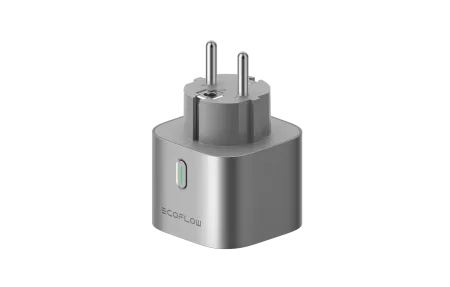
The WZ0111231 is compact by Schuko plug standards. It fits standard grounded Type F sockets without blocking the adjacent outlet on a double socket plate, which sounds minor until you've tried a bulkier plug and lost a socket. The housing is matte white with a small LED indicator on the front face.
There's a single button on the side for manual override. Press it once to toggle the connected device without opening any app. That physical button is something the US WiZ plug (WZ0111211) lacks, so it's genuinely useful for wall-outlet lamps in rooms where you don't always want to reach for your phone.
The plug is rated for indoor use only. Max load is 10A / 2300W, enough for floor lamps, desk fans, coffee makers, and most small kitchen appliances.
Setup Experience
Setup in the WiZ app takes about 2 minutes on a 2.4GHz network. Plug the device in, open the app, tap the "+" icon, select "Plug," and follow the prompts. The app asks you to hold the button until the LED blinks fast (pairing mode), then handles the rest automatically.
You don't need to create a WiZ account just to add the device locally, but you'll need one for remote access, schedules, and voice assistant linking. Account creation takes 30 seconds and doesn't require anything beyond an email address.
One thing worth noting: the app asks you to assign the plug to a room during setup. This isn't optional busywork. Room assignment is how voice assistants group devices. "Hey Google, turn off the living room" works correctly only if the plug is in the right room in the WiZ app.
Voice Assistant Integration
The Type F plug works with Alexa, Google Home, and Apple HomeKit (via the WiZ app bridge):
- Amazon Alexa: Enable the WiZ skill in the Alexa app, link your WiZ account, and plugs appear automatically as devices you can include in groups and routines.
- Google Home: Link under "Works with Google" in the Google Home app. The plug appears as a standard outlet device and supports on/off automations and room control.
- Apple HomeKit: Add via the WiZ app's HomeKit pairing option. Works through the WiZ cloud, so internet access is required for Siri commands.
Response latency for voice commands is typically 1-2 seconds. That's cloud-to-cloud routing: your voice assistant sends the command to its servers, which forward to WiZ, which reaches the plug. Acceptable for scheduled automations and casual control, less ideal if you're trying to sync multiple devices precisely.
Scheduling and Automation
The WiZ scheduling system covers the common cases well:
- Fixed schedule: specific on/off times, repeating daily or on selected weekdays
- Sunrise/sunset offsets: "turn on 15 minutes before sunset", adjusts automatically by season
- Countdown timer: run for a defined duration then switch off
- Away mode: random toggling within a set window to simulate occupancy while you're traveling
Sunrise/sunset scheduling is the feature I'd highlight for EU users controlling outdoor-facing lamps or garden lighting routed through interior Schuko sockets. You set it once and it stays accurate year-round without manual adjustments for daylight saving time changes.
Home Assistant Integration
Home Assistant smart home integrations
Home Assistant includes a built-in WiZ integration that doesn't require HACS. Go to Settings > Devices & Services > Add Integration > WiZ, and HA discovers WiZ devices on your local network automatically.
Once configured, the plug appears as a switch entity. You can trigger it from automations, dashboards, or scripts. The integration uses local polling, so basic on/off control continues to work even if the WiZ cloud is down. This is a meaningful advantage over plugs that require cloud connectivity for every command.
The WiZ HA integration doesn't expose energy data because the plug doesn't have a power meter. The entity is a simple switch, on, off, and availability state. For most automation use cases, that's all you need.
What It Doesn't Do
The WZ0111231 has no energy monitoring. You can't see watt draw, track kWh, or get cost estimates in the WiZ app. If that's a requirement, the Shelly Plug S is a Type F alternative that includes a power meter and local API.
The plug also doesn't support Matter or Thread natively. WiZ has Matter-compatible products in its lineup, but this model isn't one of them. If your long-term plan is a Matter-based smart home (Apple Home, Google Home with Matter, or a local Matter controller), check whether WiZ will update the WZ0111231 firmware to add Matter before buying. At the time of writing, no such update has been announced.
Is It Right for You
The WiZ Smart Plug Type F is the right choice if you want:
- Simple on/off and scheduling control for EU Schuko sockets
- No hub sitting on your shelf
- Alexa or Google Home voice control that just works
- Home Assistant compatibility without cloud dependency for local control
- A compact plug that doesn't block adjacent outlets
It's not the right choice if you need energy monitoring, Matter protocol support, or sub-second local response times without any cloud involvement.
What Works and What Does Not
Pros:
- No hub required
- Physical manual override button on the side
- Works with Alexa, Google Home, and HomeKit
- Native Home Assistant integration with local polling
- Compact form factor for Type F sockets
- Sunrise/sunset scheduling included
Cons:
- No energy monitoring
- No Matter or Thread support
- Remote control requires internet (cloud-dependent outside local network)
- No physical timer dial, everything goes through the app
Frequently Asked Questions
Does the WiZ Smart Plug Type F need a hub or bridge?
No hub required. The WZ0111231 connects directly to a 2.4GHz Wi-Fi network. Open the WiZ app, tap "Add device," choose the plug, enter your Wi-Fi password, and it's online in about 2 minutes. Remote access and scheduling require an active internet connection since the plug uses WiZ cloud servers for commands outside your home network.
Does the WiZ Type F plug support energy monitoring?
No. The WZ0111231 is an on/off switch only -- it does not measure power draw, wattage, or kWh consumption. If energy tracking is important to you, look at a plug with a built-in power meter such as the Shelly Plug S, which supports EU Schuko sockets and includes detailed energy monitoring.
Is the WiZ Smart Plug Type F compatible with Home Assistant?
Yes. Home Assistant includes a native WiZ integration (no HACS required) that discovers WiZ devices on your local network. Once configured, you can control the plug and trigger automations without any cloud dependency. Local polling is used, so the plug still responds even if the WiZ cloud is temporarily unavailable.
What is the maximum load for the WiZ Type F plug?
The WZ0111231 is rated at 10A and 2300W. It handles most household appliances -- floor lamps, fans, coffee makers, humidifiers, and electric blankets -- comfortably within that limit. Do not connect resistance heaters or other high-draw appliances that run close to or above 2300W continuously.
Can the WiZ Type F plug work with Apple HomeKit?
Yes, with a limitation. WiZ supports HomeKit via a software bridge in the WiZ app. You can add the plug to the Home app and control it with Siri. The integration works through the WiZ cloud rather than direct HomeKit pairing, so internet access is required. Native Matter support is not present on the WZ0111231 at this time.