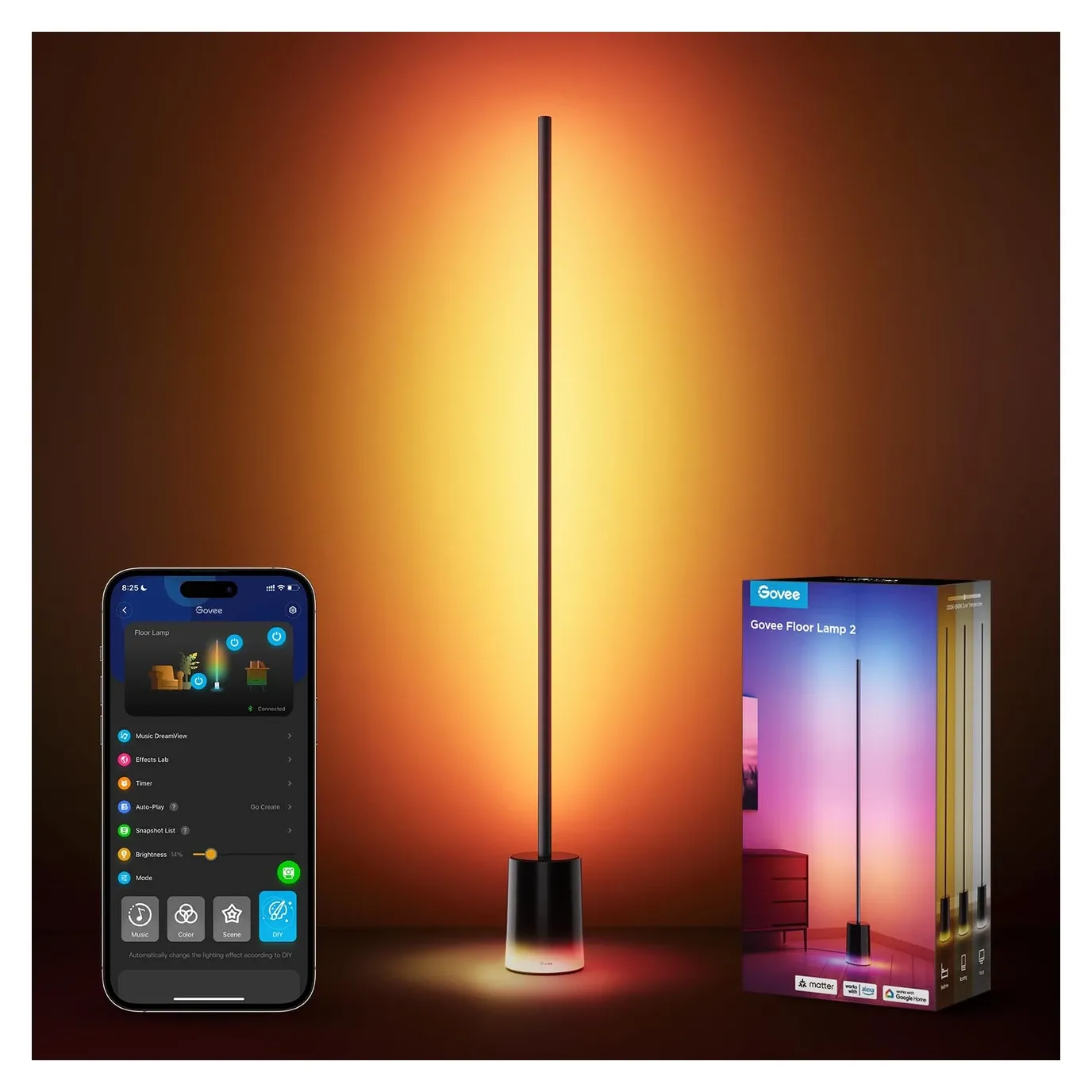
Govee Floor Lamp 2 with Smart RGBIC Lighting
As an Amazon Associate we earn from qualifying purchases. Disclosure.
Check Price on Amazon →Product Details
🏭 Manufacturer: Govee
🔌 Plug Format: Plug-in
📄 Specification Met: CE, FCC
🔖 Part Number: H607C
🏋️♂️ Weight: 5.25 lbs
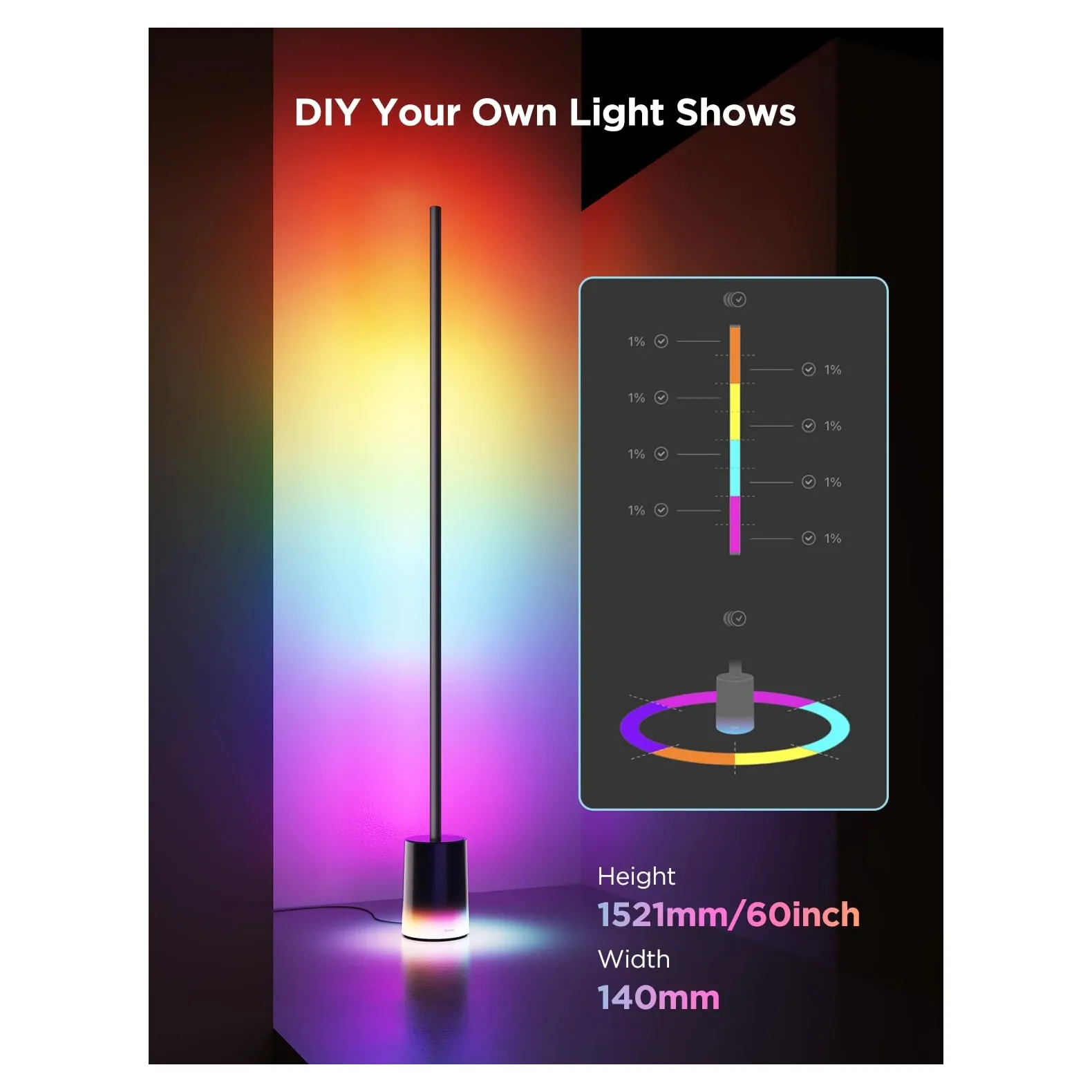
📏 Dimensions: 59.84 x 5.51 x 5.51 inches
🏳️ Country of Origin: China
🆔 Model Number: H607C
📐 Size: Standard
🎨 Style: Modern
🧲 Mounting Type: Free Standing
🔧 Usage: Indoor
🧩 Included Components: Floor Lamp (Base, Lamp Pole, Silicone Strip Light, Connecting Parts), Accessory Kit (Short Screws + Extra Screws, Screwdriver), Power Adapter, Remote Controller, Remote Controller Holder, Quick Start Guide, User Manual, Service Card
🔋 Batteries Included: Yes
🔋 Batteries Required: Yes
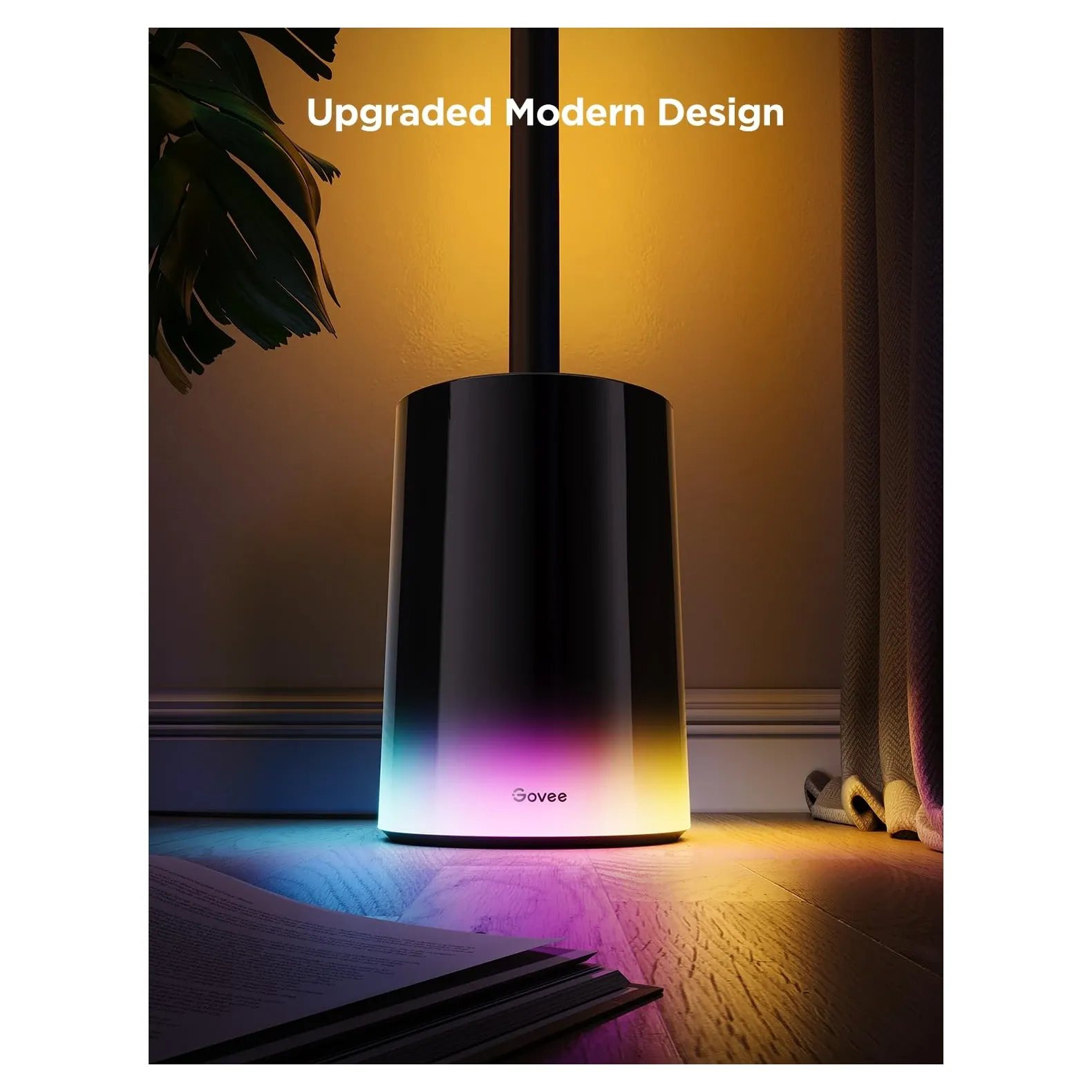
The Govee Floor Lamp 2 is sleek and modern. It uses RGBIC technology to light your room. You get over 16 million colors. You can set any mood you like. The lamp works with your phone, your voice, and your smart home. It's a great fit for any connected home.
Transform Your Space with the Govee Lamp
This lamp uses RGBIC technology. It shows many colors at once. Normal RGB lights show one color at a time. RGBIC splits the strip into individually controlled RGBIC segments. Each segment shows its own color. The result is rich gradients and flowing effects. You can change your room's mood in seconds. The music sync mode reacts to audio in real time. There are also preset scenes, and the options are nearly endless.
Key Features
This floor lamp has many great features:
- RGBIC tech shows multiple colors on one lamp
- Control it with the Govee Home App
- Use voice control via Alexa or Google Assistant
- Music sync reacts to the beat of your songs
- Pick from many preset scenes for any mood
- Sturdy free-standing base, easy to put together
- Set schedules to adjust brightness each day
Whether you're watching movies or just relaxing, this lamp adds style to any room.
App Control at Your Fingertips
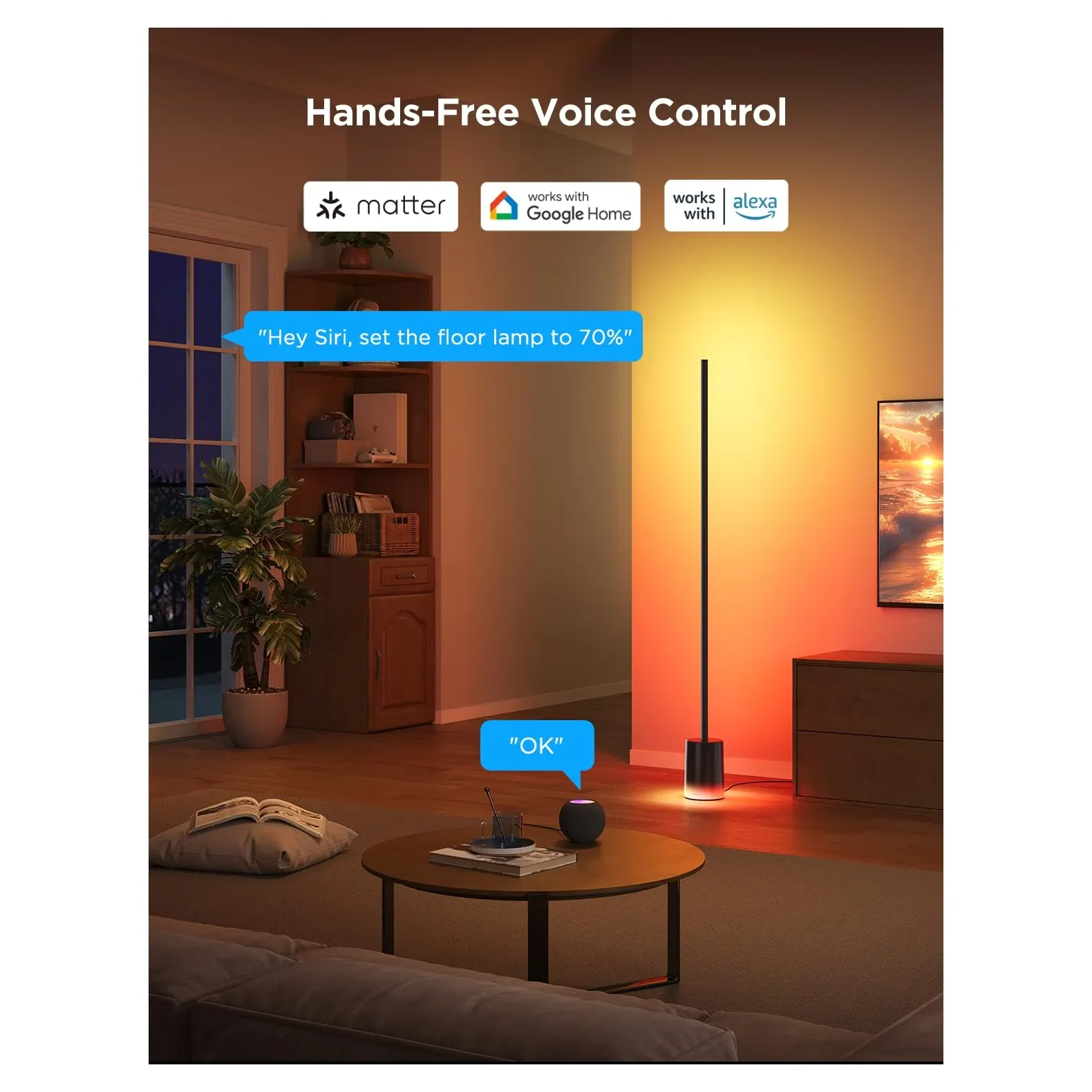
Managing your light is easy with the Govee Home app. Open the app on your phone. Adjust the brightness. Pick a color. Choose a preset scene. It's that simple. The lamp also supports Alexa voice control and works with Google Assistant. Just speak a command. You don't even need to pick up your phone.
Why Choose This RGBIC Lamp?
Here's why this lamp is notable:
- Dynamic color effects that catch the eye
- Simple app and voice control
- Music sync turns it into a light show
- Modern design that fits any home
- Energy-saving LEDs that last a long time
Use the schedule feature to control your light each day. Set it to brighten in the morning. Dim it at night for a calm mood. It's great for guests or quiet evenings at home.
Versatile Lighting for Every Occasion
You can switch between preset scenes fast. Try Cozy, Romantic, or Party Mode. Or build your own custom setting. It's perfect for movie nights, focused work, or winding down.
The music sync feature is a favorite. It turns the lamp into a live light show. The light moves with your music. It's fun for parties and quiet nights alike.
Placement and Setup Tips
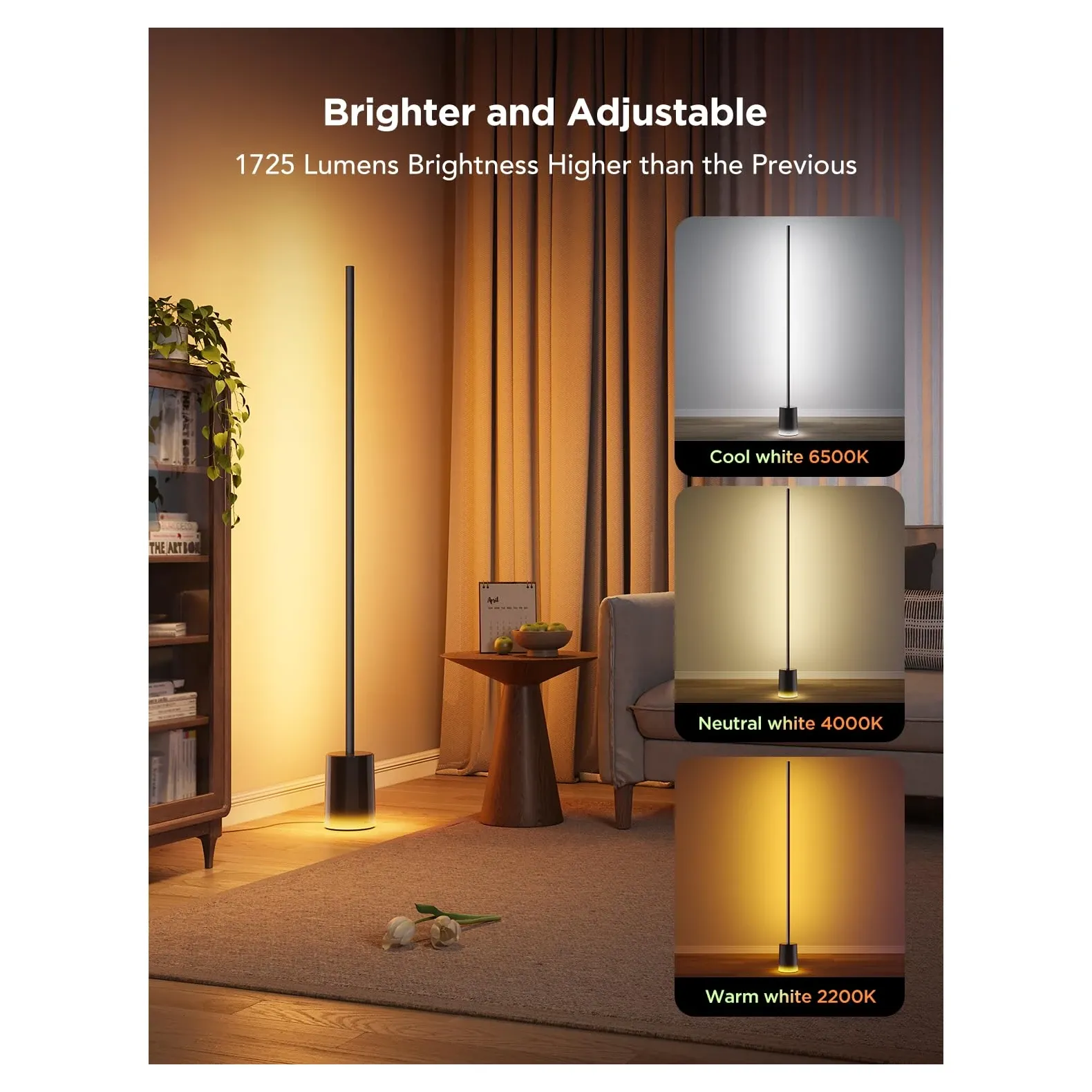
Put the base in a corner. Face the strip toward a wall. This bounces the light and makes colors richer. There's no glare. Open the app and pair the lamp. Then adjust your color segments. Set warm white for evenings. Use a cooler tone for work. Try a bright gradient for gaming. Schedule a sunrise routine to start your day softly. Use away-mode to make it look like you're home. Link the lamp to your TV or music. Group units to sync scenes across a room. To clean it, wipe the strip with a dry cloth.
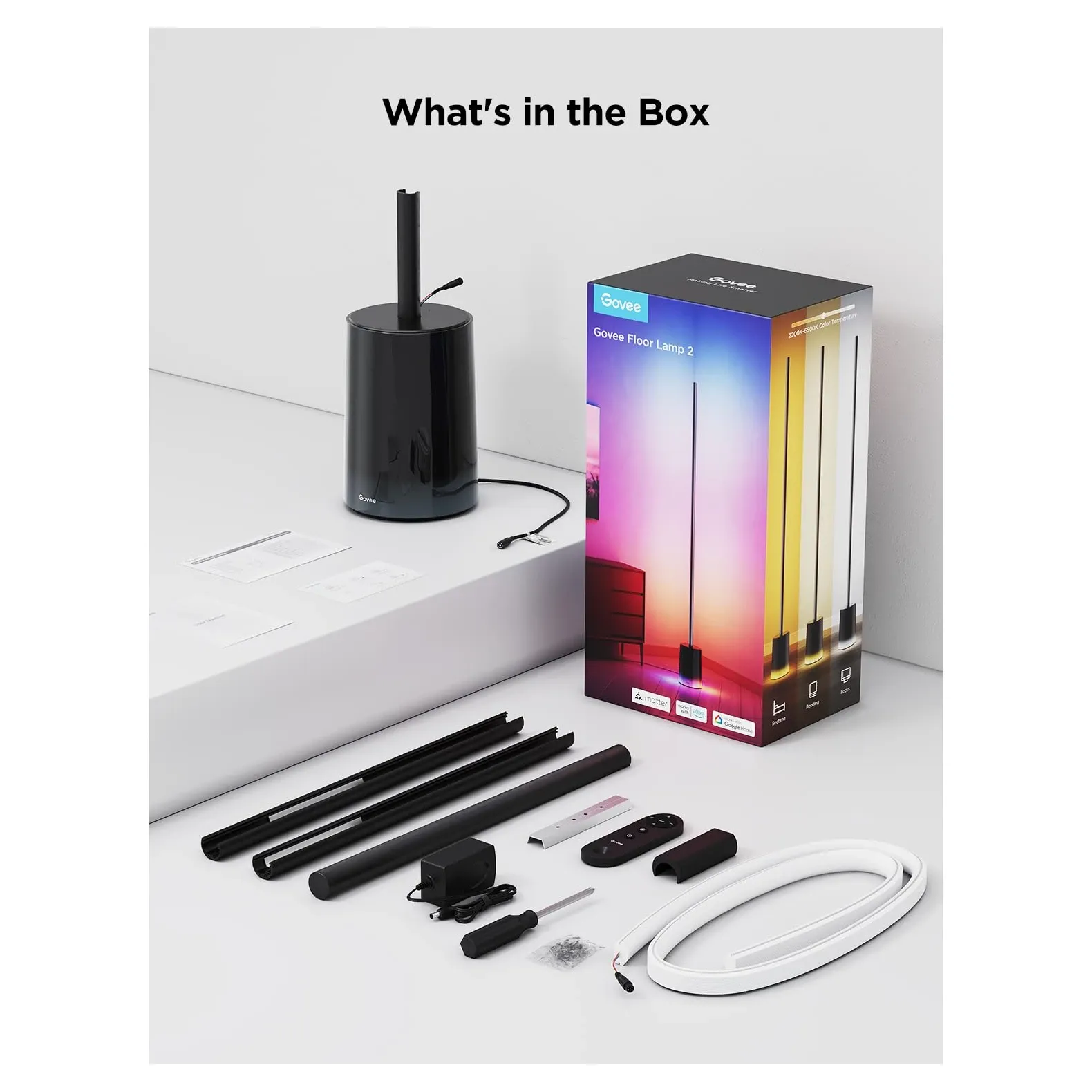
Tech Specs and Smart Home Setup
The Govee Floor Lamp 2 is both stylish and smart. It runs on just 2 amps. That's low power for a big visual effect. It works well for long daily use. The lamp uses 2.4GHz WiFi and Bluetooth. You can control it in two ways. It works with Alexa, Google Home, and Apple HomeKit. Govee has also added Matter support to newer firmware versions, making the lamp compatible with a broader range of smart home platforms. That means it fits in almost any smart home. The lamp comes with a 1-year warranty. The silicone strip is modular. You can replace parts if needed. That helps the lamp last longer. The included remote lets you change colors and brightness fast.
RGBIC vs. Standard RGB
It helps to know the difference. Standard RGB lights use three colors: red, green, and blue. The whole strip shows one color at a time. RGBIC adds individual segment control. Each section of the strip can show its own color. That's how you get flowing gradients and complex effects. Standard RGB can't do that. The Govee Floor Lamp 2 uses this RGBIC tech throughout its full strip.
Think of a sunset effect. The bottom glows warm orange. The top shifts to deep purple. Or picture a music mode where each segment pulses to a different sound frequency. Standard RGB lights can't make these effects. RGBIC is a big upgrade for anyone who loves creative light.
Smart Home Setup and Voice Commands
The lamp works well with your other smart devices. Here are some voice commands you can use:
- "Alexa, set the Govee lamp to party mode"
- "Google, dim the lamp to 50 percent"
- "Set the lamp to movie mode"
- "Activate music sync"
- "Turn off the lamp in the living room"
You can also build smart routines:
- Brighten the lamp at sunrise to wake up gently
- Set a dim scene when you press play on your streaming device
- Switch to cool white when you start work mode
- Trigger dynamic effects when guests arrive
- Shift to warm tones before bed to support sleep
The scheduling features give you even more control. Set weekday and weekend scenes. Dim to 15 percent in the evening. Switch to nightlight mode after 11 PM. The app lets you do all of this with a few taps.
Troubleshooting and Upkeep
Here's how to fix common issues:
Connection problems:
- Keep the lamp within 30 feet of your router
- Use a 2.4GHz network, not 5GHz only
- Unplug the lamp for 10 seconds to restart it
- Remove it from the app and add it again if needed
App control issues:
- Update the Govee Home App
- Clear the app cache and restart your phone
- Check that voice assistant permissions are on
- Make sure your Alexa or Google account is linked
Light strip care:
- Wipe the silicone strip with a dry cloth each month
- Keep the lamp out of direct sunlight
- Clean the strip contacts if some segments don't respond
Music sync not working:
- Give the app microphone access
- Adjust the sensitivity slider in settings
- Use music sync in a quiet room for best results
- Try different music types to find the best setting
Real-World Uses
Gaming: Gamers love this lamp for long play sessions. Enable music sync or dynamic color modes. RGBIC creates stunning effects that match your game. Soft, moving light can also reduce eye strain.
Home theater: Activate cinematic preset scenes for movies. The lamp dims to low levels. It uses dark colors that don't block your screen. The soft glow on the wall adds to the experience.
Social gatherings: Turn on party mode with music sync. The dynamic effects create a festive feel right away. Guests are often surprised by how the light reacts to music.
Work from home: Set a cool white preset during work hours. It helps you focus and stay alert. Switch to warm tones after work to relax. The low power draw means you can leave it on all day.
Bedroom: Use warm orange and red tones before bed. These tones support your sleep cycle. Set the lamp to dim slowly as you fall asleep. The lamp is completely silent.
Why the Govee Floor Lamp 2 Is notable
The base is solid and doesn't wobble. The silicone strip resists cracks and peeling. Many users say it lasts for years with basic care.
Govee has a large user community. Members share custom scenes and presets in the app. You can download these and use them right away. That expands your options far beyond the factory scenes.
The app gets regular updates. New scenes and features arrive without you buying new hardware. Your lamp gets better over time.
Compared to high-end smart lights that cost two to three times more, this lamp delivers similar effects at a much lower price. That's great value.
Comparing to Other Smart Lights
vs. Nanoleaf: Nanoleaf costs $180-230. The Govee costs $80-100. Both use RGBIC tech. Nanoleaf has better build quality and Thread networking. But it works best with Apple only. The Govee works with Alexa and Google too. It also has music sync. For most users, Govee is the better deal.
vs. Philips Hue Play Light Bar: Hue bar lights cost $150-180. They need a separate bridge ($60). Hue has tight ecosystem support. But it doesn't have the tall, free-standing look of the Govee. Govee wins on style and price.
vs. LIFX: LIFX bulbs cost $40-60 each. You'd need two or three plus a fixture. LIFX has great color accuracy. But it can't do multi-color gradients. Govee wins on visual effects.
vs. Budget RGB lamps: Cheaper options at $50-60 use basic RGB, not RGBIC. They show one color at a time. No music sync, no gradient effects, poor apps. Govee is better in every way that matters.
Energy Use and Cost
The lamp draws 2 amps at 120V. That's 240W at full brightness. In normal use it's much lower. Here's what to expect per month:
- Gaming 4 hours/day at 60% brightness: about $1.38/month
- Work use 8 hours/day at 40% brightness: about $1.38/month
- Ambient use all day at 20% brightness: about $1.05/month
Over 5 years, total running costs are low. The LED components last up to 50,000 hours. That's over 11 years at 12 hours per day. The silicone strip can be replaced if needed. You don't have to throw out the whole lamp.
Setup Guide
Getting started takes about 10 minutes. Here's how:
Physical setup:
- Take out all parts and check for damage
- Insert the pole into the base
- Stick the silicone strip along the pole
- Connect the strip to the control unit at the base
- Put batteries in the remote
WiFi setup:
- Download the Govee Home App
- Create an account
- Plug in the lamp
- Tap "+" in the app to add the lamp
- Select your 2.4GHz WiFi network
- Enter your password and wait for the lamp to connect
First use:
- Test brightness and color controls
- Try a preset scene like Party or Cozy
- Test music sync by playing a song
- Say "Alexa, turn on the Govee lamp" to test voice control
Room Placement Guide
Living room: Put it in a corner behind the TV. Set it to cinema mode when watching. Switch to party mode when friends visit.
Bedroom: Place it near a nightstand. Use warm tones at night. Schedule it to dim at 10 PM on its own.
Home office: Put it beside your desk. Use cool white during work hours. Switch to warm at 5 PM to wind down.
Gaming room: Place it behind your monitor. Use music sync or dynamic color modes. Create custom scenes for each game type.
Is It Worth It
The Govee Floor Lamp 2 is more than just a lamp. It's a smart home essential. It brings color, energy, and style to any room. The RGBIC tech creates effects that standard lights simply can't match. The app is easy to use. Setup takes just 10 minutes. Voice control works with Alexa, Google, and Apple HomeKit.
The lamp runs well for years. It gets better with each app update. It's cheaper than most competing smart lights. At roughly $4 per month in total cost, it's hard to beat. If you want creative, flexible, app-controlled lighting for your home, this lamp delivers. It's a smart pick for renters and homeowners alike. You don't need tools. You don't need a hub. Just plug it in and start exploring.
Frequently Asked Questions
Does the Govee Floor Lamp 2 work with Alexa and Google Home?
Yes, the Govee Floor Lamp 2 works with Amazon Alexa, Google Assistant, and Apple HomeKit via Siri Shortcuts through the Govee Home app. You can use voice commands to change colors, adjust brightness, switch scenes, or turn the lamp on and off. Govee has also added Matter support in newer firmware versions, expanding compatibility further.
What makes RGBIC different from standard RGB lighting?
Standard RGB strips show one color across the entire strip at a time. RGBIC divides the strip into independently controlled segments, so each section can display its own color simultaneously. This allows flowing gradients, sunset effects, and multi-color animations that standard RGB simply cannot produce. The Govee Floor Lamp 2 uses RGBIC throughout its full silicone strip.
Does the Govee Floor Lamp 2 support music sync?
Yes, music sync is a built-in feature accessible through the Govee Home app. The app uses your phone's microphone to detect audio and reacts by pulsing each RGBIC segment to a different sound frequency in real time. To get the best results, grant the app microphone access and adjust the sensitivity slider in settings. It works well for parties and gaming sessions alike.
What is the maximum power draw of the Govee Floor Lamp 2?
The lamp draws 2 amps at 120V, which equals 240 watts at full brightness. In everyday use the draw is much lower since you typically run it at 40-60% brightness. At normal usage levels, monthly energy costs come to roughly $1.05-$1.38. The LED components are rated for up to 50,000 hours, which works out to over 11 years at 12 hours per day.
Video Review
As an Amazon Associate we earn from qualifying purchases. Disclosure.
Check Price on Amazon →