Setting Up a Smart Speaker: Audio, Routines, and Access

This post may contain affiliate links. As an Amazon Associate we earn from qualifying purchases. Disclosure.
Getting real value from a smart speaker takes more than just asking it questions. These guides cover Alexa, Google Home, and Siri routines, multi-room audio, and automation.
Quick take: Smart speakers are the most-used interface in most smart homes, voice commands are faster than any app for actions you repeat daily. Alexa works with more certified devices than any other platform and has the deepest Routines system for multi-step automations. Google Assistant wins on conversational follow-ups and factual questions; Nest Audio sounds better than Echo Dot at the same price point. HomePod mini ($99) processes most requests locally, the right pick if you care about where your voice data goes. All three platforms support wake-word muting via physical hardware buttons.
Smart speakers are the most-used smart home devices in most households, more than cameras, locks, or thermostats. They sit in the kitchen, play music, answer questions, and trigger automations without you lifting a finger. I've had an Echo in my kitchen for four years and a Nest Audio in the home office, and they're the devices I interact with most on any given day.
But picking the wrong voice platform creates real friction that doesn't go away. These guides cover everything: how to choose between Alexa, Google Home, and Siri, how to set up your first speaker, and how to automate your home with voice so it actually helps your daily routine.
How Do Alexa, Google Home, and Siri Compare in Strengths and Weaknesses?
The choice of voice assistant matters more than the speaker hardware itself. You're buying into an ecosystem that shapes every interaction you'll have with voice control going forward.
Here's how each platform performs in the categories that matter for everyday home use:
- Amazon Alexa: Largest library of third-party integrations, over 100,000 skills and device connections. If you want to control a niche smart device with your voice, Alexa almost certainly supports it. The Echo lineup covers every price point from Echo Dot ($50) to Echo Studio ($200). Alexa is the best default choice for smart home control and shopping. The trade-off: Alexa's general knowledge answers and follow-up question handling are weaker than Google's.
- Google Home / Google Assistant: Stronger at answering questions. Google Search is built in, follow-up questions work naturally in context, and Gmail, Calendar, and Maps queries work better than on any other platform. If you're already in the Google ecosystem, this is the better daily assistant. Nest Audio has genuinely better audio quality than the Echo Dot at a comparable price point.
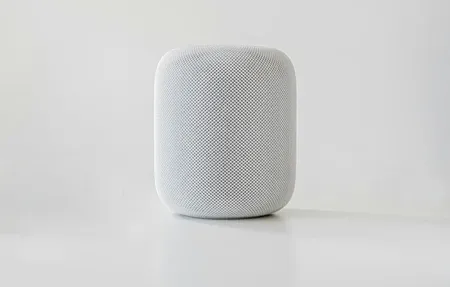
- Apple Siri / HomePod: Best privacy posture, Siri processes requests on-device or in secure private compute environments. HomePod mini ($99) integrates tightly with iPhone and Apple Home. The limitation is narrower third-party smart home device support compared to Alexa and Google. If you're all-in on Apple, HomePod is the right choice; otherwise it's restricting.
- Matter-compatible platforms: Amazon Echo (4th gen and later) and Google Nest devices both support Matter, the cross-brand smart home standard. Matter lets devices from different manufacturers work together without custom integrations, which makes future purchases less ecosystem-dependent.
- Smart display variants: Amazon Echo Show 10, Google Nest Hub Max, and Amazon Echo Show 5 all add screens for video calls, recipe display, security camera views, and visual responses. Worth considering if your speaker location is in the kitchen or home office where you'd actually look at the screen.
How Do You Set Up Your First Smart Speaker?
Setup is straightforward, usually under 5 minutes. The common stumbling blocks are ones the quick-start guide doesn't warn you about.
Wi-Fi band selection is the first friction point. Echo devices prefer 2.4 GHz Wi-Fi. If your phone is connected to 5 GHz during setup, the speaker can't communicate with your phone through the same channel and pairing fails. The fix: temporarily connect your phone to the 2.4 GHz network before opening the Alexa app for first-time setup, then switch back. If your router uses a unified network name (same SSID for both bands), this usually resolves itself automatically.
Account linking comes after the speaker is online. You need to connect music services (Spotify, Apple Music, Amazon Music), and then link smart home apps (Philips Hue, SmartThings, ecobee, etc.) through the Alexa or Google Home app. Do this before expecting voice commands to control your devices, the link is what creates the connection between the speaker and your gadgets.
Multi-room audio grouping is worth setting up on day one. Echo speakers group in the Alexa app under Devices > Add Group > Multi-Room Music. Google Nest speakers use speaker groups in Google Home. Once grouped, "Alexa, play jazz everywhere" or "Hey Google, play music in every room" works across all linked speakers simultaneously. It takes three minutes and you'll use it daily.
Routines are the automation feature most people skip initially and then wish they'd set up earlier. A morning routine runs at 7 AM: living room lights come on at 50% brightness, the news briefing plays, and your calendar appointments for the day get read aloud. Set it up in five minutes, run it every day without thinking about it. This is where voice assistants go from "neat gadget" to genuinely useful.
What Is the Smart Speaker Audio Quality by Tier?
Budget, mid-range, and premium smart speakers deliver genuinely different audio experiences. Knowing what to expect at each tier saves you from both overpaying and being disappointed.
Budget (Echo Dot, Google Nest Mini at $50 or under): Good enough for voice interaction and background music in a small room. Bass is thin, soundstage is narrow. You won't enjoy these for serious music listening, but for kitchen background music, timer reminders, and smart home control, they're perfectly adequate.
Mid-range (Nest Audio $100, Echo 4th Gen $100): Genuinely good for casual listening. They fill a kitchen, bedroom, or home office with decent sound at comfortable volumes. The Nest Audio in particular measures better than its price suggests, clear mids, reasonable bass, little distortion at high volume.
Premium (Echo Studio $200, HomePod 2nd Gen $299): These can replace a bookshelf stereo for most listeners. The HomePod measures exceptionally well for room correction and spatial audio processing. Echo Studio has a five-driver design with a dedicated subwoofer and is the best-measuring Echo for music. If audio quality matters alongside smart home features, either of these is worth the price step up.
What I've found in practice: the premium speakers are genuinely better for music but the mid-range handles smart home automation identically. Don't overspend on audio quality if you mostly use the speaker for voice commands and routines.
How Does Smart Home Automation with Voice Work?
Voice as Automation Layer
Voice control works best as a layer on top of scheduled automations, not as the primary way to run your home. If you have to say a voice command for every light change, it gets exhausting within a week.
The effective setup: automate the predictable (lights on at sunset, thermostat drops at bedtime), use voice for the exceptions and adjustments ("Alexa, dim the living room to 30%"). Alexa routines and Google Home automations handle the predictable side; voice fills in the gaps.
Smart speakers also serve as hubs in some configurations. The Echo 4th Gen and Echo Hub have a built-in Zigbee hub, which means Zigbee-compatible devices like many Philips Hue bulbs and some Sengled lights connect directly without a separate bridge. One fewer device on your network and one fewer app to manage.
Multi-room automations are where voice platforms pull ahead of simple timers. A "leaving home" routine can simultaneously turn off all lights in every room, lock the front door, lower the thermostat to eco mode, and turn off the TV, all triggered by one command or a phone's location leaving the geofence.
How Does Voice Control Accessibility Work for Every User?
Smart speakers are genuinely transformative for people with mobility limitations, vision impairment, or conditions that make physical switches and small-screen apps difficult to use. The W3C Web Accessibility Initiative covers how voice-based interfaces reduce barriers for users with a wide range of disabilities, and smart speakers are among the most practical implementations of voice access for everyday tasks.
Turning on lights, setting medication timers, making hands-free phone calls, and controlling a thermostat by voice removes physical barriers that small-print apps and physical switches create. For elderly family members living independently, this matters enormously.
Alexa's Care Hub feature lets family members monitor a relative's Alexa activity remotely, helpful for caregivers checking in without being intrusive. Google Assistant's Interpreter Mode provides real-time translation in over 30 languages, which matters in multilingual households or for users more comfortable in a language other than English.
If accessibility is a primary consideration, Alexa has the most mature accessibility feature set and the widest device integration. The accessibility guide in this section covers specific configurations for hearing impairment, mobility limitations, and vision impairment.
What Do Smart Speakers Actually Do With Your Voice?
Smart speakers use wake words to trigger recording, "Alexa," "Hey Google," or "Hey Siri." The speaker listens locally for the wake word and sends audio to the cloud only after detection. That's the design. In practice, all three platforms have had incidents of false triggers sending audio to cloud servers unintentionally.
What you can do: review your voice history in the Alexa app or Google Home app and delete recordings you don't want stored. Both apps let you set automatic deletion (every 3 months or every 18 months). Amazon and Google both allow opting out of having recordings reviewed by human employees for training purposes, worth doing in Settings.
HomePod and Siri have the strongest privacy architecture. Apple processes most Siri requests on-device using a local language model, with only complex requests sent to Apple's servers in anonymized form. Apple doesn't build voice activity profiles linked to your account.
The practical tips I use: mute the microphone on speakers in rooms where sensitive conversations happen (bedrooms, home offices during calls), review stored recordings quarterly, and enable automatic history deletion.
What Smart Speaker Routines Should You Set Up First?
The highest-return routines for most households, in order of daily impact:
Morning: Lights on at 50% at your wake time, news briefing, calendar summary for the day, coffee maker on (via smart plug).
Evening: Lights switch to warm white at sunset, thermostat drops to comfortable evening temperature 30 minutes before your typical arrival home.
Bedtime: At a set time, all lights off except bedroom, thermostat drops to sleep temperature, front door locked.
Away: When everyone leaves home (geofence trigger), all lights off, thermostat to eco mode, security system armed.
Building these four routines covers 80% of what makes a smart home feel genuinely smart rather than just gadget-filled. Add more as you identify specific friction points in your daily routine.
Browse the complete guides below for detailed setup walkthroughs on specific speakers, voice assistant comparisons, and step-by-step routine configuration for Alexa, Google Home, and Siri.
Frequently Asked Questions
How do I set up multi-room audio with smart speakers?
Both Amazon and Google support synchronized speaker groups, and setup takes about five minutes once you know where to look. In the Alexa app, go to Devices, tap the plus icon, select Combine Speakers, and choose Multi-Room Music group. Add the Echo units you want synced and give the group a name like "Whole Home." In Google Home, tap the plus (+) icon in the Home tab, select Create speaker group, pick your Nest speakers, and name the group. Once grouped, say "play jazz everywhere" and all speakers in the group play simultaneously. Latency between speakers is typically under 100ms, inaudible in most room layouts. I've been running a three-speaker Alexa group (kitchen, living room, office) for two years and the sync has never drifted noticeably during normal use. Apple HomePod supports stereo pairs and multi-room through AirPlay 2, configured in the Home app the same way.
Can smart speakers automate other smart home devices?
Yes, and this is where smart speakers earn their keep beyond music playback. In Alexa, routines can trigger based on time, location, sensor state, or voice command. One "good night" command can lock doors, dim all lights, lower the thermostat, and arm a Ring security system, Alexa fires these in sequence and waits for each to confirm before moving to the next. Google Home routines handle the same categories but struggle more with conditional logic. Saying "turn on the porch light after sunset only if motion is detected" is beyond Google Home's native routine editor, you'd need a workaround through Google Assistant automations or a third-party app. Home Assistant handles multi-condition logic natively and can expose virtual switches back to Alexa or Google Home so your speaker still controls the outcome. I've found Alexa Routines more reliable for multi-device sequences; the firing order is consistent, while Google occasionally drops a step in longer chains.
What smart speaker skills or actions are most useful for daily life?
Timers and reminders top the usage list for most households, hands-free kitchen timers alone justify the purchase if you cook regularly. Smart home control runs a close second: turning lights off without reaching for a switch, adjusting the thermostat from the couch, locking the front door before bed. Music playback and weather are obvious. The less obvious high-value features depend on your ecosystem. Alexa's shopping list syncs directly with Amazon, so items you add by voice appear in your Amazon cart ready to order. I add to my Alexa shopping list probably five or six times a week, it's the feature I'd miss most if the speaker disappeared. For Google Nest speakers, calendar integration with Google Calendar is the standout: ask "what's on my schedule today" and get real appointments read back instantly. If your household runs on Google Workspace, a Nest Mini edges out an Echo Dot as the daily driver.