How to Use Smart Home Tech to Build a Better Meditation Space

This post may contain affiliate links. As an Amazon Associate we earn from qualifying purchases. Disclosure.
A dedicated meditation space does not require a spare room or expensive renovation. With the right smart home setup, proper lighting scenes, automated sound, and a do-not-disturb routine, any corner of your home can become a space that actually helps you sit still.
A dedicated meditation space does not require a spare room or expensive renovation. With the right smart home setup, proper lighting scenes, automated sound, and a do-not-disturb routine, any corner of your home can become a space that actually helps you sit still.
The biggest obstacle to a meditation corner usually isn't the cushion or the timer. It's constant interruptions and a room that feels identical to the one you work in all day. Smart home automations can fix both without any construction work, and the result is a better space than a cushion alone gives you. My take: you don't need an expensive circadian lighting kit for this, because one warm dimmable bulb and a decent speaker cover most of what the wellness gadgets marketed at meditators promise. The values below are starting points to tune, not measured results.
TL;DR: A Hue bulb at 2200K / 5% brightness, a white-noise routine on a smart speaker, a slightly cool thermostat preset, and a Home Assistant do-not-disturb switch give you a repeatable setup for each session. Warm, dim light in the evening is also easier on your melatonin than cool light. One bulb and one scene is enough to start.
Our guide to smart lighting scenes (linked below in Related Articles) covers more scene-building patterns beyond this one meditation setup.
What Does the Right Lighting Actually Do?
Evening light color matters for a simple reason. Harvard researchers compared blue and green light of similar brightness and found that blue suppressed melatonin for about twice as long and shifted circadian rhythms by about three hours, against one and a half for green (Harvard Health). That's about sleep rather than meditation, but it's the best-documented reason to keep an evening session on warm, low light instead of cool, bright light. Standard overhead lighting at full brightness, often in the 3000-4000K range, tends to keep the brain alert. That's fine for chopping vegetables. It's not fine for sitting still for 20 minutes.
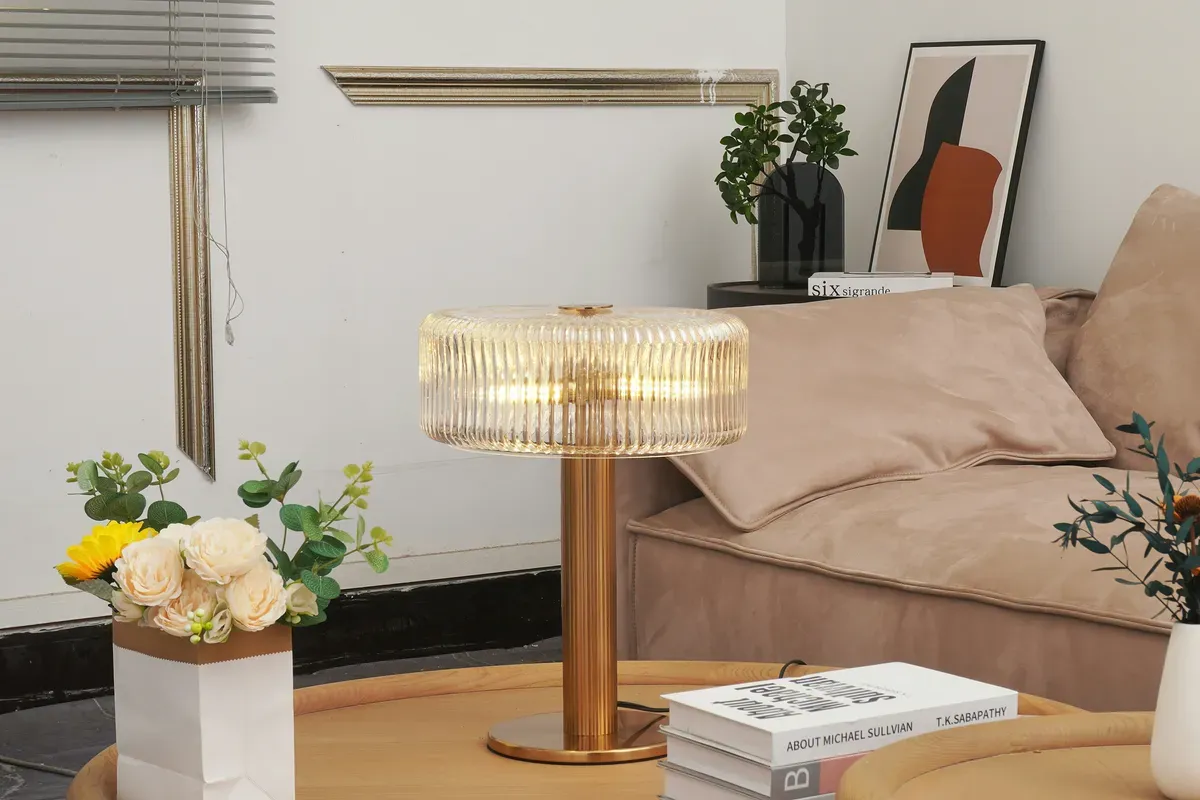
The practical fix is a single smart bulb in a lamp near your meditation spot. The Philips Hue White Ambiance A19 covers 2200K to 6500K, according to Philips. One bulb is enough for a corner lamp. Two gives you more flexibility if the space is larger.
Setting Up the Hue Scene
In the Philips Hue app, create a scene named "Meditate" with these values:
- Color temperature: 2200K (the warmest Hue setting)
- Brightness: 5%
- Transition time: 60 seconds (slow fade into the scene)
A slow fade is gentler than an abrupt switch, and it marks the shift from normal activity to session time without any conscious effort on your part.
Don't have a Hue bridge? The A19 above also works over Bluetooth, per Philips. A Wi-Fi tunable-white bulb such as a WiZ also works with no hub, but check its warmest setting before you buy, because some models stop at 2700K.
How Do You Automate Sound for Meditation?
Steady white noise masks street and neighbor sounds, which is the practical reason to use it in an apartment, and a consistent sound also becomes a cue that a session is starting. The simplest implementation: create a Home Assistant routine that starts a white-noise stream on a smart speaker when the meditation scene activates.
For Amazon Echo devices, a routine can play a specific Alexa Skill (like "Ambient
Noise" or "White Noise") at a fixed volume. For Google Nest speakers, a Home Assistant
automation calls media_player.play_media with a direct MP3 stream URL.
Home Assistant YAML for the Full Scene
This automation triggers the complete meditation environment from a single input button:
alias: Meditation Start
trigger:
  - platform: state
    entity_id: input_button.meditation_start
action:
  - service: scene.turn_on
    target:
      entity_id: scene.meditate_warm_dim
  - service: climate.set_temperature
    target:
      entity_id: climate.living_room
    data:
      temperature: 69
      hvac_mode: cool
  - service: media_player.play_media
    target:
      entity_id: media_player.meditation_speaker
    data:
      media_content_id: "https://cdn.pixabay.com/audio/2022/05/27/audio_1808fbf07a.mp3"
      media_content_type: music
  - service: switch.turn_on
    target:
      entity_id: switch.do_not_disturb_mode
  - delay: "00:20:00"
  - service: light.turn_off
    target:
      entity_id: light.meditation_lamp
    data:
      transition: 120
The 120-second light fade-out at the end replaces a phone alarm as the session timer. No sound, no buzz, just the room quietly getting darker. Our Home Assistant automation guide, linked below in Related Articles, covers the broader patterns this scene is built from.
Does Temperature Really Affect Meditation Quality?
Nobody has published a tested "meditation temperature", so treat this as a comfort setting. The nearest evidence is about sleep. The Sleep Foundation recommends roughly 65-68 F (15.6-20 C) for a bedroom, because your core temperature naturally drops as you wind down (Sleep Foundation). A room that's a little cooler than your daytime setting is also easier to sit in without getting drowsy or restless, which is why the example below drops it to 69 F.
The fix: create a thermostat preset in your smart thermostat app or Home Assistant that cools the room a few degrees and activates 10 minutes before your usual session time. Most smart thermostats, including the Ecobee SmartThermostat Premium and the Google Nest Thermostat, support time-of-day schedules granular enough to set this up without any custom code.
If your quiet corner doubles as a place to read, the lighting needs change a little. My guide to building a smart home library walks through warm task lighting and page-friendly scenes that sit well next to a meditation nook.
How Do You Set Up a Do-Not-Disturb Automation?
Interruptions during meditation don't just break the session, they make the next session feel riskier to start, because your brain learns the environment isn't safe for settling down. Getting this right is underrated.
Four things to silence:
Silence the Doorbell
A small Shelly relay such as the 1 Mini, wired in series with your doorbell chime (check that the chime's voltage suits the relay), gives Home Assistant direct control. When the meditation switch turns on, cut power to the chime. Restore it after the session duration. Visitors still ring, the button press is logged, but nothing sounds inside.
Suppress Alexa Announcements
The Alexa app has a "Do Not Disturb" setting per device, and the community Alexa Media Player integration exposes it to Home Assistant as a switch for each Echo. Add that switch to your meditation automation. It's not an official integration, and the project warns that Amazon may cut off access at any time, so treat it as a convenience rather than something to rely on.
Phone Notifications
On Android, the Home Assistant Companion app can set Do Not Disturb through a notification
command (command_dnd), so the phone silences when the scene activates and wakes back up
when the scene ends. The Companion docs list no iOS equivalent, so on an iPhone, set a
Focus schedule or a Shortcuts automation on the phone itself.
Air Quality Awareness
A CO2 sensor tells you when a closed room has gone stuffy. Readings that climb past roughly 1000 ppm are a common rule-of-thumb cue to ventilate, and stale air is easy to confuse with a deep, heavy meditative state when it's really just drowsiness. Note that a TVOC-only monitor won't help here, because it doesn't measure CO2. Pick a sensor that reports CO2 and exposes it to Home Assistant, then open a window before the session if the reading is high.
What Does a Sunrise Alarm Add to the Practice?
A gradual light ramp-up over 20-30 minutes is a far gentler alarm than any sound. The portable Philips Hue Go is a simple standalone option, and the Hue app can run a wake-up-with-light routine on Hue lights. A cheaper route is any dimmable tunable-white bulb in a bedside lamp on a Home Assistant automation that ramps from near 0% at 2200K to around 40% at 3000K over 25 minutes, finishing at your wake time. That matches the core function of a dedicated sunrise lamp for the price of a bulb.
For a Home Assistant sunrise scene, the core service call is:
service: light.turn_on
target:
  entity_id: light.bedside_lamp
data:
  brightness_pct: 1
  color_temp_kelvin: 2200
  transition: 1500
Set that as the first step in a 25-minute automation sequence ending at your wake time.
smart lighting automation
These same triggers carry over to movement practice, not just stillness. If you stretch or flow in the morning, my notes on building a yoga space inside a smart home show how the lighting and sound cues change when you're moving instead of sitting.
How Do You Build a Consistent Habit With Environmental Triggers?
The hardest part of a meditation practice is not the sitting, it is starting. Every time you walk into an identical-looking room where you also watch TV or answer email, your brain sees work. Environmental cues matter more than willpower.
A consistent sensory routine does something specific: it conditions a state-change response. After two or three weeks of activating the same lighting scene, the same temperature, and the same ambient sound before each session, your nervous system starts the shift before you even close your eyes. Psychologists call this a "pre-routine cue." Athletes use them before competition; the same principle applies here.
The smart home angle makes the cue reliable and effortless. You don't have to remember to dim the lights or adjust the thermostat. The automation does it, and consistency is what builds the associative response over time.
A few things that help lock in the habit:
- Set a fixed session time and let Home Assistant fire the automation on a schedule so the room is already prepared when you arrive
- Use a dedicated cushion or mat that stays in the meditation corner and is not used for anything else
- Add a 2-minute "pre-session" scene at slightly higher brightness (10% instead of 5%) that transitions down automatically, giving you time to settle before full dim
- Log sessions with a simple input_boolean in Home Assistant so you can see your streak on the dashboard
Tracking is optional but motivating. A visible streak on a dashboard tile makes skipping feel more concrete than skipping an abstract habit.
One useful addition is a 5-minute "decompression" scene between work and meditation, a slightly warmer and dimmer version of normal lighting that runs while you make tea. It bridges the gap between screen-time brain and still-brain, and it needs no extra hardware.
How Does It All Fit Together?
The full setup needs surprisingly little:
- One tunable-white bulb for the meditation lamp (a Hue White Ambiance A19, for instance)
- A second tunable-white bulb for the sunrise alarm, if you want one
- A smart thermostat, if you don't already have one
- A CO2 sensor that reports to Home Assistant
- A small relay for the doorbell chime
- A smart speaker you may already own
If you already own a smart speaker and a thermostat, the marginal cost is a couple of bulbs and a sensor. Home Assistant itself runs on a Raspberry Pi you might already have.
Start with the lighting scene alone. One bulb, one scene, five minutes of setup. See if it changes how your sessions feel after a week. Then add the temperature preset, then the DND routine, then the air sensor.
The technology doesn't create the meditation practice. It removes the friction that prevents the practice from sticking.
Smart homes are genuinely good at one thing: running reliable, repeatable routines without relying on your memory or mood. That's exactly what meditation needs. The ideal setup is not the most expensive one; it's the one you actually use every day without thinking about it.
Home Assistant getting started
If Google Nest is your hub of choice, our how to set up Google Nest devices guide covers the setup this kind of routine depends on.
Frequently Asked Questions
What smart bulb color temperature works best for meditation?
Warm white around 2200K is a good starting point. That color temperature sits closer to candlelight than to daylight, which suits a wind-down session. Try brightness in the 5-10% range, dim enough to reduce visual stimulation but bright enough to see the room clearly. Philips lists the Hue White Ambiance A19 at 2200K-6500K, so one bulb handles both meditation scenes and normal room use. Avoid cool, blue-heavy light during evening sessions: Harvard researchers found that blue light suppressed melatonin for about twice as long as green light of similar brightness.
Can I run a meditation automation in Home Assistant without a subscription?
Yes, completely. Home Assistant is free and self-hosted, there's no subscription required for local automations. You'll need a Raspberry Pi or an Intel NUC as the host, plus Zigbee or Z-Wave bulbs, a smart thermostat, and a smart speaker. The YAML automation in this post keeps the scene logic on the local network, although the example sound is a stream from the internet and Alexa or Google speakers still depend on their own clouds. Once set up, the scene triggers from a single tap on a dashboard button or a voice command. Philips Hue lights integrate natively with Home Assistant through an official integration, no custom component needed.
How do I stop my phone and doorbell from interrupting a meditation session?
Three things cover it. First, on Android the Home Assistant Companion app accepts a notification command (command_dnd) that switches Do Not Disturb on and off, so the meditation scene can silence the phone; the Companion docs list no equivalent for iOS Focus, where a Shortcuts automation on the phone is the usual workaround. Second, add a Shelly relay or a Zigbee switch to your doorbell wiring, so Home Assistant can cut power to the chime during the session and restore it afterward. Third, for Echo speakers the community Alexa Media Player integration (installed through HACS) creates a do-not-disturb switch per device, with the caveat that it mimics the Alexa app and Amazon can break it at any time.
Sources & References
- Home Assistant - Light integration home-assistant.io
- Home Assistant - Sun integration home-assistant.io
- Home Assistant - Media player integration home-assistant.io