Samsung Bixby Voice Assistant Integration
Samsung Bixby voice assistant for smart home control, device automation, and hands-free operation across Samsung ecosystem devices.
February 10, 2026
Blog posts
Explore Samsung SmartThings' compatible devices and system capabilities. Learn how to create a connected, automated home with seamless control over all your smart gadgets.
Learn the key differences between Alexa and Google Assistant. Compare their features, compatibility, and performance to help choose the best smart speaker for your needs.
Samsung is redefining **smart home** experiences with its **AI revolution**, bringing unprecedented intelligence to your daily life. This article explores whether your appliances are smarter than you and how Samsung's innovative appliances are transforming homes with advanced AI capabilities.
Products
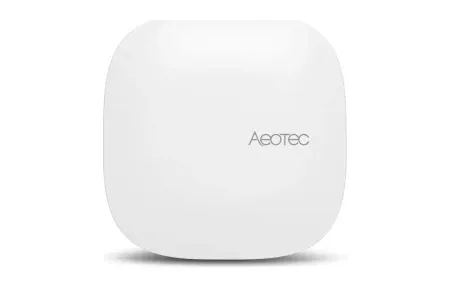
Aeotec Smart Home Hub with Matter certification, Thread and Zigbee support for seamless device integration, local automation, and smart home control.
Rolling AI robot with projector, multimodal AI, and SmartThings integration. Includes pet monitoring and voice control for smart homes.
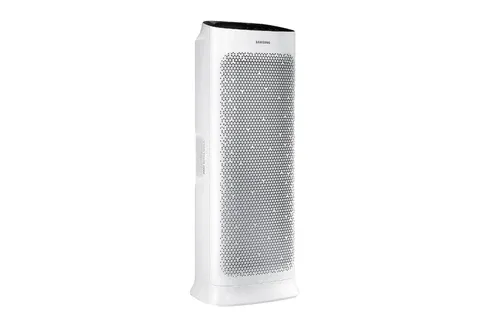
Samsung AX90 air purifier features smart control, HEPA filtration, and sleek design. Perfect device for your Smart Home.
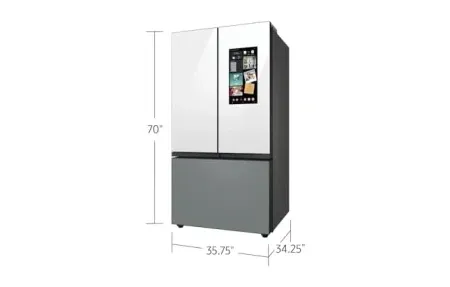
Smart refrigerator with AI Vision camera and 32-inch touchscreen. Features food management, recipe suggestions, grocery tracking, SmartThings control.
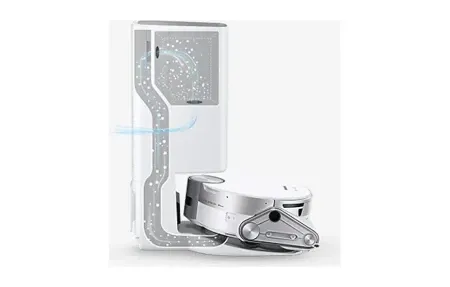
Samsung Jet Bot AI+ robot vacuum offers AI object recognition, LiDAR mapping and a self-emptying Clean Station for hands-free home cleaning.
Samsung Vision AI Companion integrated into Samsung TVs with AI-powered entertainment assistance, Microsoft Copilot, and SmartThings home control.
Samsung's AI Voice Assistant
Bixby is Samsung's own voice assistant. It is built into Samsung smart home devices, TVs, appliances, and phones. It lets you control devices by voice, set up automation routines, and connect within the SmartThings system. Bixby launched in 2017. Since then, updates have added better context awareness and multi-step commands. Unlike general voice assistants, Bixby is built for Samsung hardware and its native features.
Smart Home Integration
Bixby gives you hands-free control of Samsung appliances, screens, and connected devices. You can build custom routines, check device status, and manage many devices through simple voice chats. Over time, it learns your habits and offers tailored tips for home tasks.
Samsung Vision AI is the newest form of Bixby tech. It adds smarter awareness and fun features to Samsung TVs. This shows Samsung's push for unified voice control across all products. That means fridges, washers, speakers, and climate control devices all use Bixby. Voice accuracy keeps getting better through learning that adapts to your speech and home setting.
Modern smart homes gain a lot from one voice system that replaces many apps. Bixby does this for Samsung users. It gives the same command style no matter which device you talk to. It handles multi-room tasks where TVs, climate, and lighting work in sync for movie nights. Integration goes beyond Samsung through the SmartThings hub. This lets Bixby control third-party devices from other brands. Homes that already use Samsung gear get unified control without dropping other smart home products.
Bixby stands out from simpler voice tools that need exact phrasing. You can speak in a natural way and get fitting responses. It remembers context across replies. You can ask follow-up questions without repeating details. This makes it easier to manage many devices and conditions at once. Voice profiles let Bixby tell household members apart. It then tailors responses to each person's habits.
The benefits of the Samsung system show when many products work together via Bixby. TV volume drops when the fridge says dinner is ready. Washers send "done" alerts to nearby screens instead of your phone. Climate systems sense room use from smart TVs and adjust temps for energy efficiency. This linked approach creates smooth results that scattered apps and separate assistants cannot match.
Privacy is part of Bixby's design. Local processing keeps voice data on the device instead of sending recordings to cloud servers. You control data storage rules and can delete voice history through clear menu options. Mute buttons give physical proof that devices stop listening. Clear data policies help you decide which Bixby features match your comfort level.
Bixby routines simplify daily life by combining many actions into one voice command or schedule. Morning routines can raise blinds, adjust thermostats, start coffee, and show weather through linked device actions. Evening setups dim lights, lock doors, arm security systems, and set sleep-ready temps. Routines adapt to weekdays vs. weekends based on your calendar. Anyone can build these without coding skills.
Software updates keep adding new skills to Bixby without new hardware. New commands, better accuracy, and more device support come through auto firmware updates. This approach protects your initial purchase while adding new artificial intelligence features over time. Samsung's long-term support means today's devices gain real upgrades for years ahead.
Third-party developers add more skills through the Bixby Marketplace. They build custom voice commands for tasks like recipe management, workout tracking, and guided meditation. This means Bixby grows beyond built-in Samsung features. Community actions expand voice control for users who want tailored smart home setups. Bixby supports many languages: Korean, English, Spanish, French, German, Italian, and Chinese dialects. This makes Samsung devices work in global markets without separate assistants per region. Local tweaks account for how people phrase commands in different cultures. Language skills improve over time as Bixby hears diverse speech patterns from users around the world.
Samsung continues to improve Bixby through regular software updates. Each update brings better voice accuracy, new command types, and wider device support. Users who bought Samsung products years ago still receive meaningful upgrades. This long-term approach makes Bixby a sound investment for households that plan to stay within the Samsung family of products. The voice assistant market is crowded, but Bixby holds a strong spot for Samsung owners who want tight control of their own devices without juggling multiple apps or assistants.
Setting up Bixby takes just a few minutes on most Samsung devices. Open the settings menu and follow the voice setup steps. Speak a few test phrases so Bixby can learn your voice. Once set up, you can start giving commands right away. Try basic tasks first like setting timers, checking weather, or turning on lights. As you get used to Bixby, move on to routines that chain several actions together. Most users find that Bixby handles Samsung-specific tasks better than other voice tools because it was built for that hardware from the start. If you run into issues, Samsung offers online help pages and community forums where other users share tips. Keeping your device software up to date ensures you always have the latest Bixby features and fixes. The learning curve is gentle and most people feel at ease within a week of daily use.