Illuminate Your Home with Tuya WiFi Strip Light

Product Details
🏭 Manufacturer: Tuya
🔌 Plug Format: Varies by listing (USB, 12 V or 24 V DC adapter)
📐 Size: Commonly sold in 5 m (16.4 ft) lengths
🎨 Style: Flexible RGB
🧲 Mounting Type: Adhesive backing
🔧 Usage: Indoor
"Tuya WiFi strip light" names a category, not a single product. Tuya is a cloud and software platform. Its website describes a "Powered by Tuya" program that connects other brands' devices to its cloud. Dozens of labels sell Wi-Fi RGB strips that run on it, and their length, power supply, LED density and warranty all differ. So this page covers what the category offers and what to confirm on the listing of the exact strip you want.
None of this was tested hands-on. It is built from Tuya's site, Home Assistant documentation and retailer listings.
What You Get
If you want to illuminate a shelf, a desk or the back of a TV, this is a low-cost route to app-controlled color.
A typical Wi-Fi strip kit has an adhesive-backed LED strip, an inline controller with a Wi-Fi module, and a power supply. The controller is where the Tuya firmware lives. You add it to the Tuya Smart or Smart Life app, and from there you pick colors, set brightness, build scenes and schedules, and group several strips. Many controllers also have a built-in microphone for music sync, though that is a per-model feature, so check the listing.
The "16 million colors" line on most listings is just 8-bit red, green and blue channels (256 x 256 x 256), which is standard for plain RGB strips. Plain RGB cannot make a true white, so look for RGBW or RGBCCT variants if you want clean warm white for task lighting.
Setup and Wi-Fi Limits
Retailer manuals for Tuya-platform devices agree that setup needs a 2.4 GHz Wi-Fi network. If your router merges its bands, create a 2.4 GHz network or temporarily force your phone onto it. Some controllers pair first over Bluetooth and then ask for the Wi-Fi password.
- Plug in the power supply and the controller, with the strip connected.
- Install the Smart Life or Tuya Smart app and sign in.
- Add a device, follow the pairing-mode steps in the manual, and enter your 2.4 GHz network details.
- Stick the strip down only after the colors respond correctly. Test before you peel.
Voice and Smart Home Support
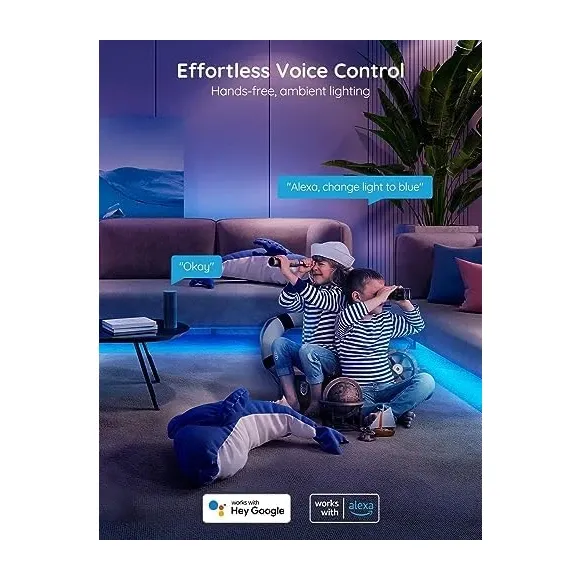
For voice control, link the Smart Life service to Alexa through its skill, or add it as a service in the Google Home app. You can also start either link from the third-party services section inside the Smart Life app.
Home Assistant's official Tuya integration is cloud-based, with an IoT class of Cloud Push, and it covers Tuya-powered lights. Commands therefore pass through Tuya's servers. LocalTuya and tuya-local are community alternatives for local control, but users report they need the device's local key and can break when a device is re-paired. Treat the cloud path as a convenience, not a guarantee, since an outage on Tuya's side or a change to its developer terms can interrupt control. A segmented alternative is the Govee LED Strip Light M1.
Power, Length and Cutting
This is where cheap strips differ most.
- Voltage: strips come as 5 V USB, 12 V or 24 V. Match the power supply to the strip and to the controller's rated input, and leave some headroom on wattage.
- Run length: voltage drop makes the far end dimmer on long 12 V runs. Seller guides suggest roughly 5 m per feed for 12 V, and about double that for 24 V, but the figures vary, so follow the product's datasheet.
- Cutting: strips can usually only be cut at marked cut points. A cut section needs the right connector or soldering to reconnect.
- Adhesive: the backing sticks well to clean, smooth surfaces and poorly to textured paint. Clean the surface first.
- Addressable strips: a pixel (SPI) strip needs a different controller from a plain 4-pin RGB one.
Music Sync
Music sync usually works through a microphone on the controller or through the phone's microphone in the app, depending on the model. Expect a basic reaction to volume and beat, not a studio-grade light show. Check the listing for which method the strip uses.
What to Check Before Buying
- Length and voltage: note both, and make sure the supply covers the load.
- Color type: RGB, RGBW or RGBCCT, depending on whether you need real white.
- Controller platform: the app should be Tuya Smart or Smart Life, or another app you accept.
- Voice support: confirm Alexa or Google Home for that exact kit.
- Music sync method: built-in microphone or phone.
- Warranty: differs per brand and is not quoted here.
Choosing Where to Put It
Strips work best where the LEDs are hidden and only the glow shows: under a cabinet lip, behind a TV or monitor, or along the top of a shelf. A strip visible to the eye looks like a string of dots, and cheap controllers with low LED density make that more obvious. Run the cable and controller to a socket before you peel the adhesive, and leave the controller somewhere you can reach if you need to re-pair it.
Is This Right for You
A Wi-Fi RGB strip is a low-cost way to add accent lighting behind a TV, under cabinets or along a shelf, without a hub. The trade-offs are the 2.4 GHz only Wi-Fi, the cloud dependency, and a category with no single accountable maker. If you want local control and consistent firmware support, pick a brand with its own documented platform or a Matter or Zigbee strip.