Tuya Wi-Fi Filament Light with Smart Control

Product Details
🏭 Manufacturer: Tuya
🔌 Plug Format: E26 (US) or E27 (EU), depends on the listing
📏 Dimensions: ST64 shape
🆔 Model Number: ST64
📐 Size: ST64
🎨 Style: Vintage Edison
🧲 Mounting Type: Standard Socket
🔧 Usage: Indoor use
"Tuya Wi-Fi filament light" is not one connected bulb from one factory. Tuya is a cloud and software platform, and its own site describes a "Powered by Tuya" program that lets other brands connect their products to it. The filament bulbs sold under that banner come from many labels, with different bases, wattages and warranties. So this page does not describe a single model. It covers what the category offers, and what to confirm on the listing of the exact bulb you plan to buy.
None of this was tested hands-on. It is built from Tuya's own site, the Home Assistant documentation, and retailer listings.
What a Tuya-Platform Filament Bulb Is
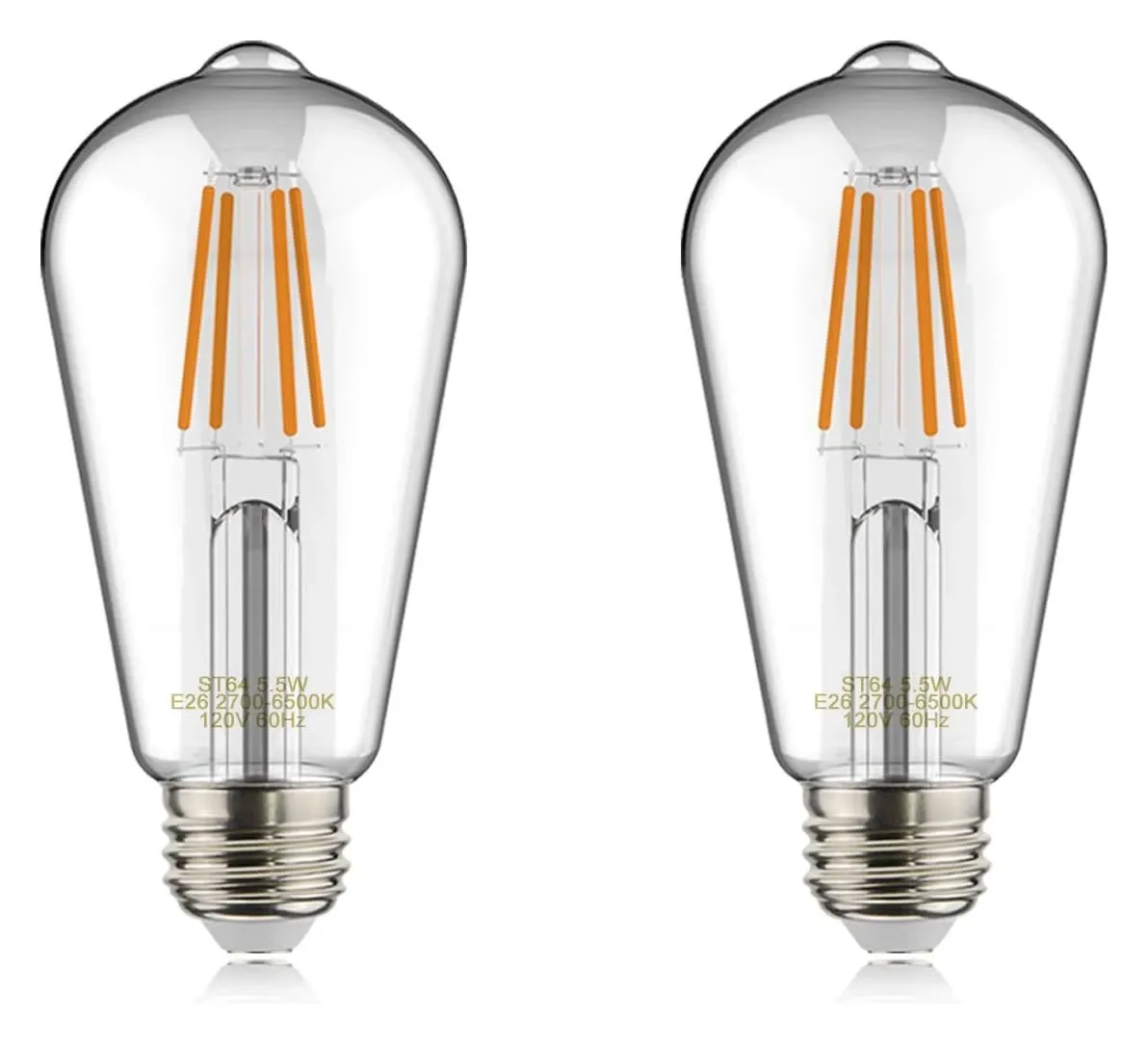
An LED filament bulb copies the look of an old incandescent: a clear glass envelope with thin LED strands inside. The smart version adds a Wi-Fi module running Tuya firmware, so the bulb joins your network directly and needs no hub. A typical example is the helloify Edison ST19 (ST64) Wi-Fi bulb on Amazon US, listed as a 5 W E26 filament bulb with tunable white from 2700K to 6500K. That listing is only an example of the type. The listing does not say whether the bulb runs Tuya firmware, so check the app name in the manual.
Two numbers on that kind of listing matter most. The ST64 code describes the Edison teardrop shape. The base letter matters more: E26 is the US screw base and E27 is the European one. The two are close in size, but the US and Europe run different mains voltages, so buy the version made for your region.
Setup and Wi-Fi Limits
Tuya-platform bulbs generally work with the Tuya Smart app or the Smart Life app, and retailer manuals agree that they pair on a 2.4 GHz network only. If your router merges both bands under one name, you may need to split them or temporarily switch your phone to 2.4 GHz during setup. Some bulbs use Bluetooth for the first pairing step and then ask for the Wi-Fi password.
- Screw the bulb into a socket and switch the power on.
- Install the Tuya Smart or Smart Life app and sign in.
- Add a device, put the bulb in pairing mode (usually a power-cycle sequence in the manual), and enter your 2.4 GHz Wi-Fi details.
- Name the bulb, set schedules and scenes, and link a voice assistant if you want one.
Voice and Smart Home Support
Voice control usually runs through the Smart Life skill for Alexa, or a Smart Life service you add inside the Google Home app. You can also start the link from the third-party services option in the Smart Life app. Support depends on the brand's app, so confirm that the listing names Alexa or Google Home.
For Home Assistant, the official Tuya integration is cloud-based, with an IoT class of Cloud Push, and it picks up the Tuya-powered devices on your account, including lights. That means commands go through Tuya's servers. Community add-ons such as LocalTuya and tuya-local offer local control instead, but they need the device's local key, which can change when you re-pair a bulb. Bulbs with Matter certification are a separate case, and you should only assume that if the listing says it.
Tunable White and Brightness
Many filament bulbs of this type offer tunable white across roughly 2700K to 6500K and dimming through the app. Check the listing for the lumen output, because filament LEDs are often much dimmer than an ordinary A19 or A60 bulb of the same wattage. A decorative filament bulb suits a pendant, a table lamp or an exposed fixture, not a room's main light.
What to Check Before Buying
- Base and voltage: E26 for North America, E27 for Europe. Buy the regional version.
- Platform: the listing should name the Tuya Smart or Smart Life app, or another app you accept.
- Wi-Fi: 2.4 GHz only is normal, so make sure your router can provide it.
- Voice: Alexa and Google Home support should be stated for that exact model.
- Dimmer compatibility: smart bulbs should sit on an always-on, non-dimmed circuit. Do not put them behind a wall dimmer.
- Brightness and color temperature range: read the lumen figure and the Kelvin range on the box.
- Warranty: differs per brand, so read it on the listing. This page does not quote one.
The Vintage Look in Practice
The appeal is the visible filament. Even switched off, the bulb reads as vintage, and the glow is usually warmer and softer than a frosted LED. Because the strands are the point, these bulbs are clear glass, which also puts the filament in your line of sight. Put them where the bulb is on show and the light is decorative, such as a bare-bulb pendant, and avoid shades that hide the glass.
Dimming and scenes deserve a note. A filament bulb that dims through the app still runs on the mains supply, so it keeps drawing a small standby current while the bulb is off. That is normal for any Wi-Fi bulb, and the draw is small, but it is a reason to avoid dozens of them on one circuit without checking the listing's standby figure.
Is This Right for You
The category is a cheap way to add schedulable, app-controlled lighting to decorative fixtures without a hub. The trade-offs are the cloud dependency, the 2.4 GHz only Wi-Fi, and the lack of a single brand to hold accountable for firmware or support. If you want local control from day one, a Zigbee or Matter filament bulb is a safer base, though it costs more. If you just want a warm glow in a few lamps, a Wi-Fi filament bulb from a seller with a clear return policy works fine.