Zemismart Push Button Scene Switch, Reviewed
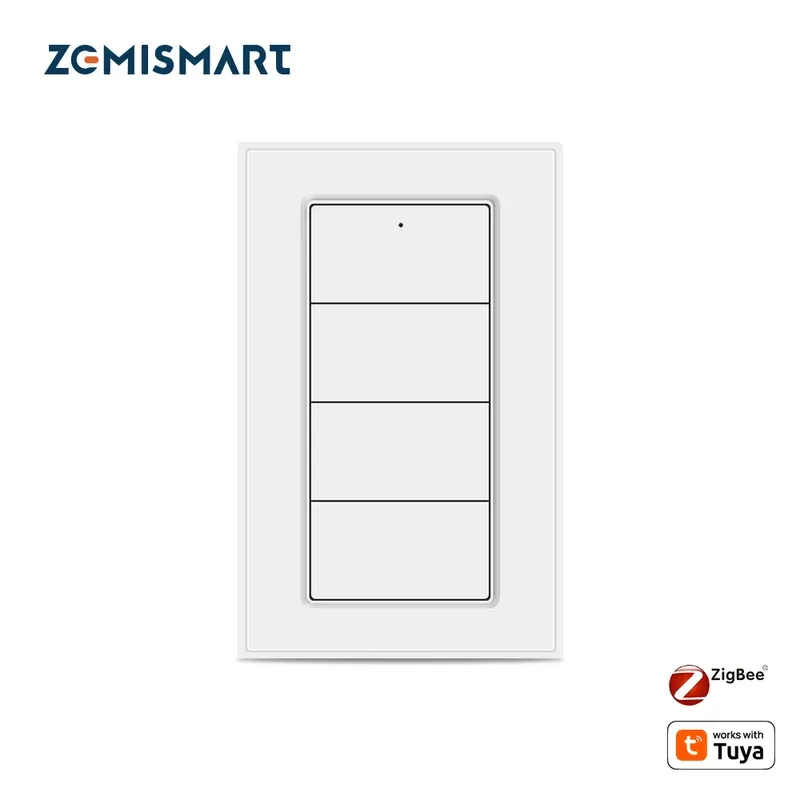
Product Details
🎨 Style: Wireless remote
🧲 Mounting Type: Magnetic wall mount
🔧 Usage: Indoor
🧩 Included Components: 1 scene switch, magnetic wall mount, CR2450 battery, user manual
🔋 Batteries Included: Yes
🔋 Batteries Required: Yes
Wall switches wire into your electrics. A scene switch doesn't, and that's the whole appeal. The Zemismart Push Button, sold as the ZMR4, is a battery-powered Zigbee remote with four keys that you can stick anywhere, next to the bed, by the sofa, on the fridge, and program to fire off whole routines. No neutral wire, no electrician, no hole in the wall. For anyone building automations who's tired of pulling out their phone to trigger them, it's a small device that solves a real annoyance.
What the ZMR4 actually does
The ZMR4 has four physical buttons, and each one recognizes three separate actions: a single press, a double press, and a long hold. Multiply that out and you get twelve distinct triggers from one small pad. That's genuinely a lot of control for something you can hold in your palm. One button might toggle the lights, its double-press could dim them, and a long hold might arm a good-night scene that shuts everything down at once.
Crucially, the buttons don't control anything on their own. They send Zigbee signals to your hub, and your automation platform decides what each press does. That's the key mental shift: the ZMR4 is a trigger, not a switch. Its job is to tell your smart home "the user just pressed this," and everything interesting happens on the hub side.
Connectivity and compatibility
The ZMR4 speaks Zigbee 3.0 through Tuya's stack, so it needs a Zigbee coordinator to reach your network. Pair it with a Tuya or Zemismart hub and it shows up in the Smart Life app. With a Zemismart M1 or M6 Matter gateway in the mix, its triggers can extend into Apple HomeKit and Samsung SmartThings too. It also works well with Home Assistant and Homey, which is where power users tend to get the most out of it, since those platforms expose all twelve actions cleanly for custom automations.
If you already run a Zigbee mesh, adding the ZMR4 is quick. If you don't own a hub yet, remember that's part of the buy, a Zigbee button without a coordinator is just a paperweight.
Build, battery, and mounting
It runs on a single CR2450 coin cell, and Zemismart claims up to a year of life, though real-world use tends to land closer to six to nine months depending on how often you press it. Swapping the cell is trivial. The unit ships with a magnetic wall mount, so you can stick it to a metal surface or the included plate and pull it off to use as a handheld remote whenever you want. That flexibility, fixed or portable, is one of the nicer touches.
Specs at a glance
- Model: ZMR4
- Buttons: 4 keys, 3 actions each (12 triggers total)
- Protocol: Zigbee 3.0 (Tuya)
- Power: 1x CR2450 coin cell
- Works with: Tuya/Smart Life, Home Assistant, Homey, plus HomeKit and SmartThings via a Zemismart M1/M6 Matter gateway
- Mounting: magnetic wall mount, removable for handheld use
The verdict after using it
I've reviewed a fair few scene switches, and the ZMR4 sits comfortably in the "quietly useful" category rather than the "exciting" one, which is exactly what you want from a trigger. Reviewed over a couple of months, the pairing held solid, the presses registered reliably, and having twelve programmable actions within reach changed how often the automations I'd built actually got used. That's the real value here: a good button turns automations you set up and forgot into ones you use every day.
The honest caveats are the hub requirement and the Tuya dependency, if you're not already in a Zigbee ecosystem, the total cost is higher than the button's sticker suggests. But if you've got the coordinator and you want a flexible, no-wiring way to fire scenes from anywhere in a room, the Zemismart Push Button is a cheap, capable little workhorse. This review lands on the recommend side for anyone already running Zigbee.
What sold me over time was how invisible it became. A good wireless controller is one you stop thinking about, because pressing it just works, and the ZMR4 crossed that line within a week. I stuck one by the bed and one by the front door, and the routines I had painstakingly built in Home Assistant finally got used the way I intended, by hand, in the moment, instead of buried three taps deep in an app. That is the quiet promise of a scene switch, and this one keeps it. The twelve triggers sound like overkill until you start assigning them, and then you wonder how you managed with a single tap before. It is not a device that photographs well or wins spec-sheet arguments. It is a device that makes the smart home you already built feel finished, and after living with a pair of them, that is exactly the job I wanted done.
There is a broader point worth making about switches like this one. So much of the smart home conversation fixates on the devices that do the work, the lights, the locks, the cameras, and forgets about the interfaces that let a human actually reach them. Voice is great until you are in a quiet room or holding a sleeping child. Phone apps are fine until you have to unlock, open, wait, and tap your way to a single action. A physical button that fires a whole scene bridges that gap in the most natural way possible. You reach out, you press, the room responds. The ZMR4 understands that a home full of clever automations still needs simple, tactile ways to trigger them, and it delivers exactly that without asking you to run wires or hire an electrician. For a household where more than one person uses the space, that tactile simplicity matters even more, because not everyone wants to learn an app or shout at an assistant just to dim the lights. Hand someone a labelled button and the smart home suddenly works for them too, which is often the difference between a setup the whole family uses and one that only the person who built it can operate.