Optimize Natural Light With Somfy Smart Roller Shades
Product Details
🏭 Manufacturer: Somfy
🎨 Style: Motorized shade system
🧲 Mounting Type: Window mount
🔧 Usage: Indoor Use
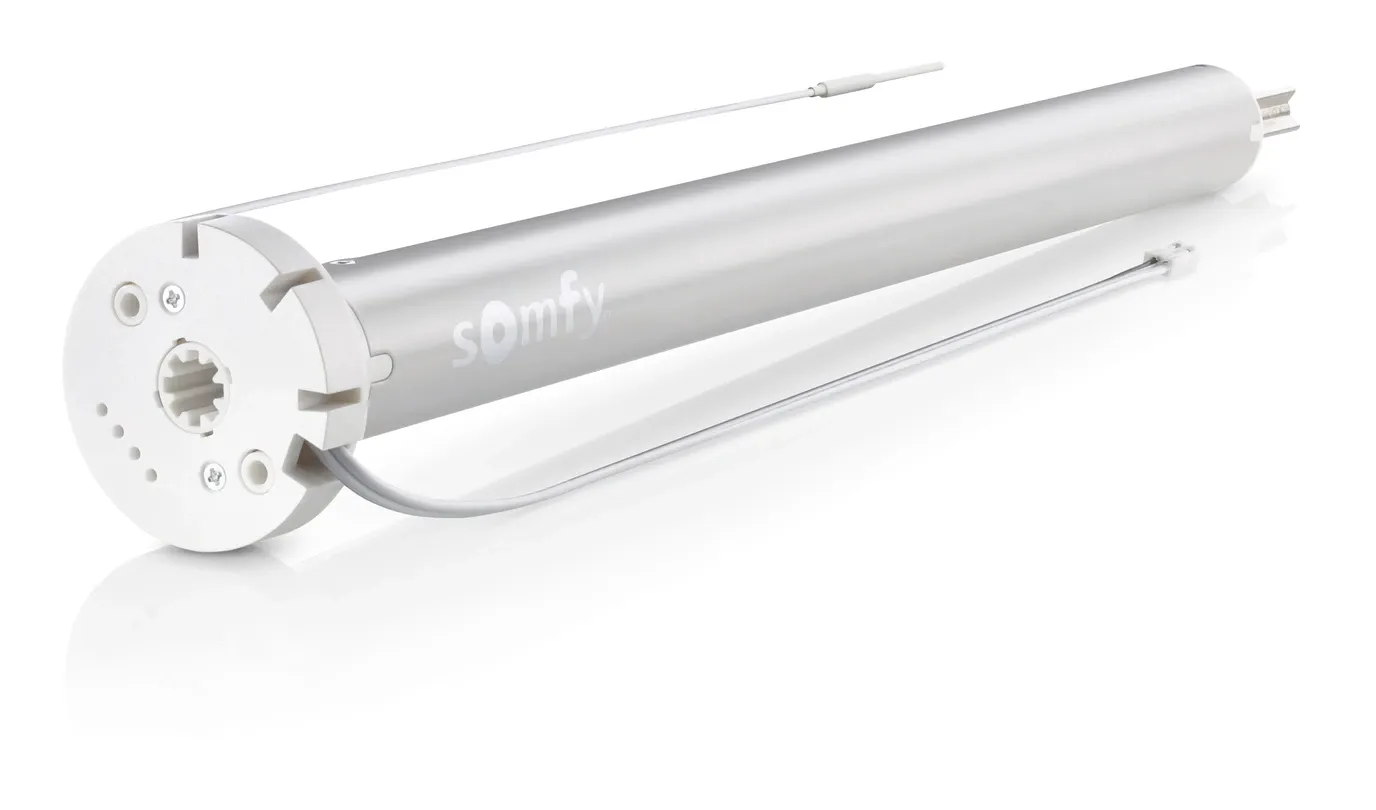
Somfy doesn't sell one box called "Smart Roller Shades". It sells motors and a hub, and a shade maker or installer builds the shade around them. That changes how you shop, so this page describes the Somfy motorized roller shade system as Somfy documents it. It doesn't describe a single boxed product with one model number. The goal for most buyers is to optimize natural light: the shade opens when you want the sun, closes when it heats the room, and leaves the decision to a schedule instead of a hand on a cord. Advanced light control, in practice, means a motor that reports its position, a hub that can run scenes, and a shade fabric chosen for the room. Each of those three parts is a separate purchase, so it pays to understand them before you ask for a quote.
How the System Is Put Together
Somfy's current North American smart shade line is built on Zigbee 3.0 motors that talk to a TaHoma switch hub. Somfy's US page for the Top-down Bottom-up 25 WireFree Zigbee motor (reference 1246325) gives these details:
- Protocol: Zigbee 3.0, with a TaHoma switch Zigbee ecosystem and the TaHoma by Somfy app.
- Power: wire-free, from an internal headrail battery pack that charges via USB-C, with optional magnetic accessories and solar panels.
- Feedback: the app shows real-time shade position and battery status.
- Control: scenes and schedules in the app, scene launch from the TaHoma switch, or the dedicated Ysia TDBU remote.
- Rating: IP 20 and a noise level of 53 dB.
- Warranty: 5 years.
- Availability: listed as coming soon and temporarily out of stock, sold through a professional installer.
A top-down bottom-up motor can move the top bar, the bottom bar, or both, which is the main privacy and glare feature. You can lower the top of the shade to let daylight in over the head of anyone passing outside, or raise the bottom to keep the view while a fabric screens the sun. Somfy's page doesn't state the maximum shade size or weight, so ask the installer for the limits of the specific shade. Battery-powered motors also trade running cost for a charging chore, because the pack has to be topped up through USB-C, and a solar panel on the window helps only where the glass gets sun.
Compatibility and Control
Somfy has said since its 2019 launch that the Zigbee range works through the TaHoma gateway, and a Hunter Douglas spec sheet says Zigbee products work with Alexa, Google Home and Apple HomeKit voice control through TaHoma. The US motor page itself lists no voice assistants, so check the current TaHoma switch documentation before you buy.
Home Assistant can reach a TaHoma through the Overkiz integration. Somfy's developer mode enables a local API on eligible boxes, and the limits are real: scenarios are cloud-only, the gateway queues only about ten commands, and Zigbee devices paired to the hub are reportedly not exposed to Home Assistant even though the hub controls them. RTS motors, also supported by TaHoma, give no position feedback because the protocol is one-way. We couldn't find any official statement that TaHoma supports Matter natively.
Somfy io is the system I run on the shutters in my own house, alongside Home Assistant, so I know the io side of the brand first-hand. That is a different radio from the Zigbee motors on this page, and the European TaHoma switch carries io-homecontrol, RTS and Zigbee, while the North American unit has no io-homecontrol. I'm describing the approach here, not a tested setup on this shade model. Closing at sunset and opening at sunrise is the obvious automation, since Home Assistant's sun trigger keys off the local sunrise and sunset times and removes any manual adjustment.
Real-World Applications for Smart Shades
- Wake-up light: schedule the shades to open in the morning.
- Energy: close shades during the hottest hours to reduce solar gain, and pair the shades with a temperature sensor if your hub supports that rule.
- Child safety: a cordless motorized design removes the loose cords that blinds normally have.
- Privacy: close them as part of an evening scene.
- Home cinema: use a blackout fabric to block daylight, which depends on the fabric the shade maker supplies.
How to Set Up the System
Setup depends on the installer and the exact motor, so treat this as the general order.
- Have the shade built with a compatible Somfy motor.
- Charge the battery pack over USB-C (wire-free motors) before mounting.
- Add the motor to the TaHoma switch with the TaHoma app.
- Build scenes and schedules in the app, or connect the hub to Home Assistant.
- Test each shade for position feedback and run it against your routines.
Should You Buy It
Pick this route if you want shade motors that report their position and can be scheduled without a mains wire at every window. The main limits are the dependence on a TaHoma hub, the installer-only sales channel, and the current "coming soon" status of the motor on Somfy's US page. If you only need a single interior shade, a Wi-Fi or Matter motorized shade from a shade maker may be easier.
Warranty is 5 years on the motor listed above, per Somfy's US page. We haven't verified retail pricing or the stock of finished shades from any shade maker. This page is based on Somfy's published documentation and on community reports, not on a tested shade.