Samsung SmartThings Station: Hub and Wireless Charger
As an Amazon Associate we earn from qualifying purchases. Disclosure.
Check Price on Amazon →Product Details
🏭 Manufacturer: Samsung
🔌 Plug Format: AC Power (USB-C adapter)
📄 Specification Met: FCC, CE
🔖 Part Number: EP-P9500TBEGUS
🏋️♂️ Weight: 176 g
📏 Dimensions: 98.5 x 98.5 x 12.8 mm
🏳️ Country of Origin: South Korea
🆔 Model Number: EP-P9500
📐 Size: Compact
🎨 Style: Flat wireless charging pad
🧲 Mounting Type: Desktop / Tabletop
🔧 Usage: Indoor Use
🧩 Included Components: SmartThings Station, USB-C Power Adapter, USB-C Cable, Quick Start Guide
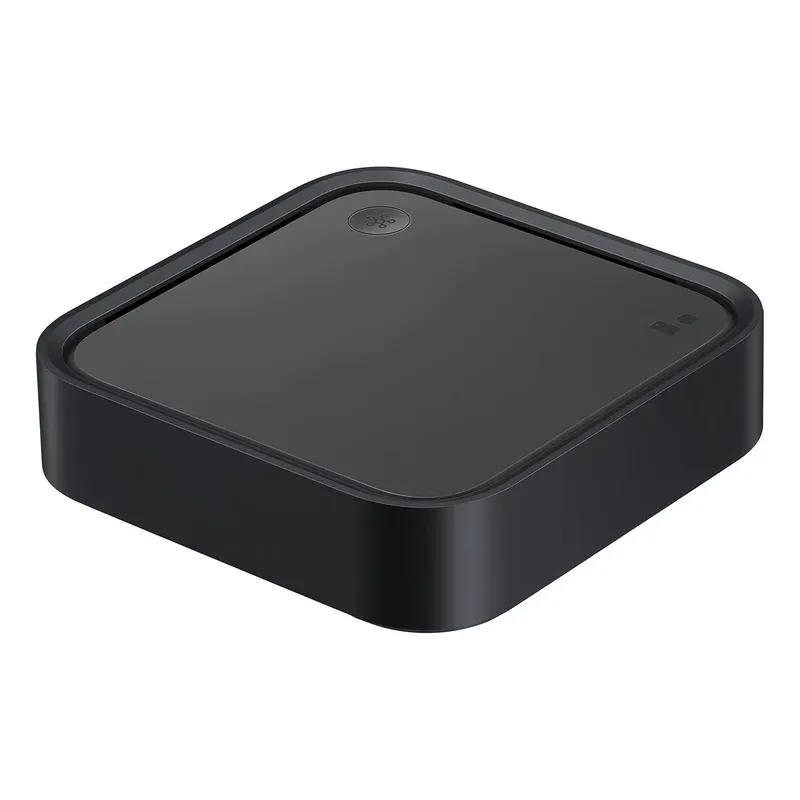
The Samsung SmartThings Station does two things at once: it charges your phone at up to 15W and acts as a Thread border router for your smart home. It's a flat puck you put on a desk or nightstand, plug in, open the SmartThings app, and it starts working. No separate hub shelf needed.
That's the actual pitch. Not "change your home." Just: one cable, two jobs.
What It Is and What It Isn't
The SmartThings Station is a Thread border router first, and a wireless charger second (or maybe the other way around, depending on what you need). As a Thread border router, it lets Matter-over-Thread devices communicate with your SmartThings network without Wi-Fi. Thread is a low-power mesh protocol built for battery-powered sensors and switches, things like Eve door sensors, Nanoleaf bulbs, and newer Aqara devices that support Matter.
It isn't a standalone Zigbee or Z-Wave coordinator. If you have older Zigbee sensors or Z-Wave locks, you still need a separate SmartThings Hub v3 or a compatible Samsung TV/appliance that acts as a hub. The Station adds Thread capability and improves Matter device reliability, it doesn't replace everything else.
That said, for a 2023 purchase: if you're building a fresh smart home around Matter devices, the Station covers you without a standalone hub.
Thread Border Router: Why It Matters
Thread operates differently from Wi-Fi. It creates a mesh network among Thread devices, each device routes traffic for the others, so range improves as you add more gadgets. The SmartThings Station acts as the Thread border router: the device that bridges your Thread mesh to your home IP network.
Without a Thread border router, Matter-over-Thread devices can't talk to your apps or automations. The Station fills that gap for $40-70 depending on the bundle. Apple HomePod mini, Amazon Echo 4th gen, and Google Nest Hub 2nd gen also include Thread border routers, the Station gives you that functionality without buying another speaker you don't need.
In our setup, pairing Matter devices through the SmartThings Station was noticeably faster than the Wi-Fi Matter pairing process. Thread devices joined in 15-30 seconds. Wi-Fi Matter devices took 2-4 minutes.
15W Wireless Charging in Practice
The Station charges Galaxy S23 and later phones at 15W Super Fast Wireless. Older Galaxy phones charge at 10W or 7.5W depending on the model. iPhones and other Qi devices charge at 5W.
It's not a dedicated fast charger, a wired 25W USB-C cable charges much faster. But for overnight desk charging or a nightstand setup where speed doesn't matter, it's perfectly fine. One cable goes into the wall, the Station does both jobs.
The 4.5W USB-A port on the back charges earbuds, smartwatches, or a spare cable. Small detail, actually useful.
Hub Check Button
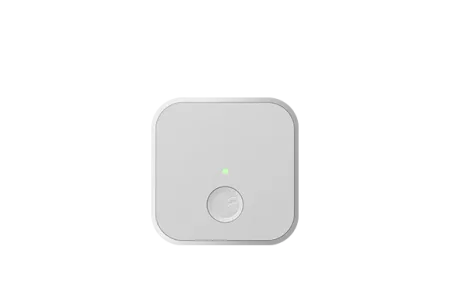
There's a button on top of the Station. Press it and SmartThings runs a hub health check, confirming connectivity, checking device status, and sending you a notification in the app. It's a quick diagnostic rather than a function key. We found it genuinely useful after power outages to confirm everything reconnected properly.
SmartThings App Integration
Setup takes about five minutes: plug in the Station, open SmartThings, add device, scan the QR code on the bottom. It appears as a hub in your SmartThings home and immediately enables Thread border routing.
From there, you use the SmartThings app for automations. The Station doesn't add new automation logic, it just extends what SmartThings already does to cover Thread devices. If you're already using SmartThings with a Hub v3, adding the Station is a small upgrade that pays off when you start adding Matter-over-Thread accessories.
SmartThings supports Alexa, Google Assistant, and Samsung Bixby for voice control. Matter support means it can also appear as a bridge hub in Apple Home on iOS 16+, though the experience is more reliable within a single ecosystem.
Compatible Protocols
Through the SmartThings account ecosystem:
- Matter over Thread (via Station Thread border router)
- Matter over Wi-Fi (via SmartThings cloud)
- Zigbee and Z-Wave (require a SmartThings Hub v3 or compatible Samsung device in the same account)
- Cloud-to-cloud integrations (LIFX, Philips Hue, Ring, and 200+ other brands)
If you have existing Zigbee sensors and want to add new Matter devices, you can run Hub v3 alongside the Station under the same SmartThings account. Both appear in the same app, same automations, same rooms.
Who Gets the Most From It
The SmartThings Station fits one specific profile: a Samsung phone user who wants a smart home hub but doesn't want a dedicated router-side box. You get Thread support, SmartThings ecosystem access, and Qi charging in a form factor that belongs on a desk.
For Zigbee-heavy setups, the Hub v3 is still the better primary coordinator. For new builds focused on Matter, the Station covers the current device generation. For anyone deep in a different ecosystem (pure HomeKit, Home Assistant), the Station adds less value, your Thread border routing is probably already covered by a HomePod mini or Echo.
At $40 without adapter or $70 with, it's priced as an accessory, not a primary hub investment. That's the right framing. It extends what SmartThings already does, and it charges your phone while doing it.
Frequently Asked Questions
Does the SmartThings Station work without a Samsung phone?
Yes. The SmartThings Station connects to any iOS or Android device via the SmartThings app. You need a free Samsung account, but you don't need a Galaxy phone. The wireless charger works at standard Qi speeds (5W) with non-Samsung phones; 15W charging requires a compatible Galaxy device.
What smart home protocols does SmartThings Station support?
The SmartThings Station includes a Thread border router and connects to the SmartThings ecosystem, which supports Matter, Zigbee, Z-Wave, and cloud-to-cloud integrations. It also works as a hub for devices from Amazon Alexa, Google Home, and Apple HomeKit via Matter.
Does it work as a Zigbee coordinator?
The SmartThings Station itself is not a direct Zigbee coordinator. It acts as a Thread border router and relies on a SmartThings Hub (or SmartThings-enabled TV/appliance) in the same account for Zigbee and Z-Wave connectivity. A standalone SmartThings Hub is needed for direct Zigbee pairing without another SmartThings device.
Can SmartThings Station replace the SmartThings Hub v3?
For Thread and Matter devices, yes. The Station adds Thread border routing that the v3 Hub lacks. For Zigbee and Z-Wave devices, the original Hub v3 is more capable as a standalone coordinator. Many users run both: Station for Thread/charging on the desk, Hub v3 connected to the router for Zigbee mesh.
Does it work when internet is down?
SmartThings Station requires an internet connection for cloud-based automations and remote access. Local control of some Matter devices over Thread can work without internet if the SmartThings app supports local processing, but full automation functionality depends on cloud connectivity.
As an Amazon Associate we earn from qualifying purchases. Disclosure.
Check Price on Amazon →