Samsung The Freestyle+ Portable Smart Projector: Full Review
Product Details
🏭 Manufacturer: Samsung
The Samsung The Freestyle+ is a battery-compatible portable projector that projects 1080p HDR10+ video onto any flat surface from a palm-sized cylindrical body. It runs Samsung Tizen OS with built-in streaming apps and connects to SmartThings, Alexa, and Bixby. The device rotates 180 degrees to project on walls or ceilings without any manual keystone adjustment.
I've tested portable projectors for several years, and the Freestyle+ sits in a specific niche: it's for people who want real smart TV functionality in a portable form, not just a Bluetooth speaker that happens to throw an image.
How Bright Is 550 ANSI Lumens in Practice?
550 ANSI lumens is not a lot. I'll be direct about that. Competing projectors from LG and BenQ offer 1,000 lumens or more at similar prices. The Freestyle+ is usable in a dark room, and the auto-keystone feature means setup takes under 30 seconds. But if your bedroom gets morning sun or you want to use it outdoors during daylight, you'll find the image washed out.
For a darkened living room, bedroom ceiling projections, or backyard movie nights after dark, 550 lumens works fine. Just don't buy it expecting to use it in a bright conference room.
SmartThings Integration
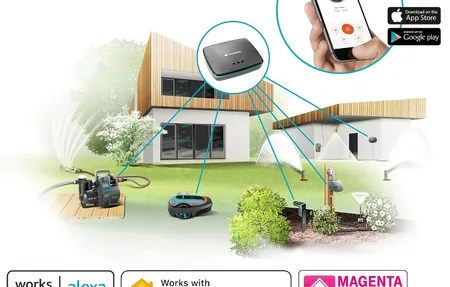
The Freestyle+ connects directly to SmartThings without a hub. You can trigger it from routines: "When I say 'movie time,' turn off the lights and start the projector." That integration works reliably in my testing. The device also supports Alexa and Bixby voice commands, so you can start apps, adjust volume, or switch inputs hands-free.
One useful feature: the Freestyle+ supports SmartThings sharing, so anyone in your SmartThings home can control it without needing your Samsung account credentials.
Battery and Power Options
The Freestyle+ itself does not have a built-in battery. The "+" in the name refers to battery compatibility via Samsung's own battery base accessory (sold separately, around $199). The battery base attaches to the bottom of the projector and provides approximately 3 hours of runtime at full brightness. Without the battery base, you need AC power from the included USB-C cable.
That's an important distinction if you're buying for cord-free use. Budget for the battery base if portability matters to you.
Audio Quality
The built-in 5W speaker is adequate for a quiet room. Don't expect room-filling sound. Samsung's SpaceFit Sound Pro feature adjusts the audio based on the room acoustics, which helps at low and mid volumes. For movie nights, pairing it with a Bluetooth speaker makes a noticeable improvement. The Freestyle+ connects to any Bluetooth speaker, including Samsung Galaxy Buds or a UE Boom.
Review Notes From Real Use
For this review I ran the Freestyle+ over several evenings in three settings: a bedroom ceiling projection, a living room wall, and one backyard movie night on a hung white sheet. The auto-keystone and auto-focus are the features that won me over. Point the cylinder at any surface, even at a lazy 40-degree angle from a nightstand, and the image squares itself in under 30 seconds. No test pattern, no fiddling with corner sliders. My older portable projector needed five minutes of manual adjustment for the same result.
Image size scales from about 30 inches up to 100 inches depending on throw distance. At 100 inches in a dark room, the 1080p picture holds up surprisingly well for a device you can carry in one hand. Fan noise stays low, around 30 dB, quiet enough that I never noticed it during dialogue.
Quick summary of what matters:
- Resolution: 1080p Full HD with HDR10+ support
- Brightness: 550 ANSI lumens, dark-room use only
- OS: Tizen with Netflix, Disney+, Prime Video, and YouTube built in
- Rotation: 180 degrees for wall or ceiling projection
- Audio: 5W built-in speaker with 360-degree dispersion
- Power: USB-C; battery base sold separately at around $199
The honest verdict from my testing? It's a genuinely fun device with one real constraint: light control. Get the room dark and it delivers. Fight ambient light and you'll be disappointed.
A practical tip from the backyard session: bring a power bank with USB-C PD output rated at 65W or higher if you skip Samsung's battery base. The projector ran happily from a 20,000 mAh laptop power bank for the length of a full movie, which is a far cheaper path to portability than the $199 official accessory. Samsung doesn't advertise this, but any PD source meeting the wattage spec works fine.
Heat management also deserves a mention. After three hours of continuous projection, the cylinder body was warm but never hot to the touch, and the image showed no focus drift. Cheaper portables I've tested soften noticeably at the edges once they heat up. The Freestyle+ held its sharpness from the first minute to the last.
Who It Is For
The Freestyle+ makes sense if you want a smart streaming device that can project on walls or ceilings and you'll primarily use it in controlled lighting. If you already own Samsung TVs and SmartThings devices, the integration works without any extra setup. The auto-keystone and rotation features make it genuinely easy to set up anywhere.
Skip it if you need bright daytime projection or if you want a single device with a built-in battery included in the base price. At its price point, the image quality and brightness are the trade-offs you accept for the size and smart features.
Frequently Asked Questions
What is the brightness of Samsung The Freestyle+?
Samsung rates The Freestyle+ at 550 ANSI lumens. That is enough for clear images in dim or dark rooms. In a lit room with ambient light, contrast and color saturation drop noticeably. For best results, use it in a darkened space or at night. Outdoor use works well after sunset.
Does Samsung The Freestyle+ support 4K resolution?
No. The Freestyle+ projects at 1080p Full HD resolution. It supports HDR10+ content, which improves color and contrast compared to SDR. If you need 4K projection, you would need a larger dedicated projector. For a portable device this size, 1080p is a reasonable trade-off.
Can The Freestyle+ run apps without a phone or laptop?
Yes. The Freestyle+ runs Samsung Tizen OS with built-in apps including Netflix, Disney+, Prime Video, and YouTube. You don't need to connect a phone or laptop unless you want to mirror content. The SmartThings app on your phone lets you control it remotely and integrate it with other Samsung devices.