ILIFE A11 Robot Vacuum for Powerful Smart Cleaning
Product Details
🏭 Manufacturer: ILIFE Robotics
🔌 Plug Format: Rechargeable
📄 Specification Met: CE Certified
🔖 Part Number: A11
🏋️♂️ Weight: 7.7 pounds
📏 Dimensions: 13.78 x 13.78 x 3.72 in
🏳️ Country of Origin: China
🆔 Model Number: A11
📐 Size: Standard
🎨 Style: Modern
🧲 Mounting Type: Freestanding
🔧 Usage: Indoor Cleaning
🧩 Included Components: ILIFE A11 Robot Vacuum, Charging Dock, Water Tank, Mop Cloth, User Manual
🔋 Batteries Included: Yes
🔋 Batteries Required: Yes
Keeping floors clean doesn't have to take daily effort. The ILIFE A11 does the work for you. It maps your home, vacuums and mops, and docks on its own. You just press start and relax. It works on hardwood, tile, and carpet. It's a great pick for busy households and pet owners.
Why This Model Stands Out
The A11 packs smart hardware and easy-to-use software. It covers every corner without fuss.
- LiDAR scans your rooms in 360 degrees. It builds accurate maps fast. It cleans in a neat bow-shaped path with no overlap.
- 4000Pa suction lifts dirt from rugs and hard floors. It beats most mid-range rivals.
- A 2-in-1 tank holds 300 ml for dust and 200 ml for water. You don't have to swap parts between dry and wet cleaning.
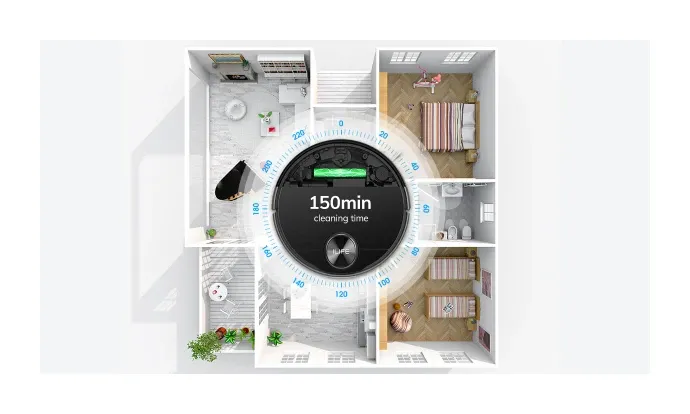
- The 5200 mAh battery runs for 150 minutes. That's enough to clean up to 2,690 sq ft on one charge.
- Multi-floor mapping stores several layouts. Upstairs and downstairs schedules stay separate.
Key Benefits at a Glance
- 2-in-1 vacuum and mop for full floor care
- LiDAR maps with live updates
- 4000Pa suction across four power levels
- Voice support for Alexa and Google Home
- No-go zones set in the app, no strips needed
Precision Navigation and Smart Mapping
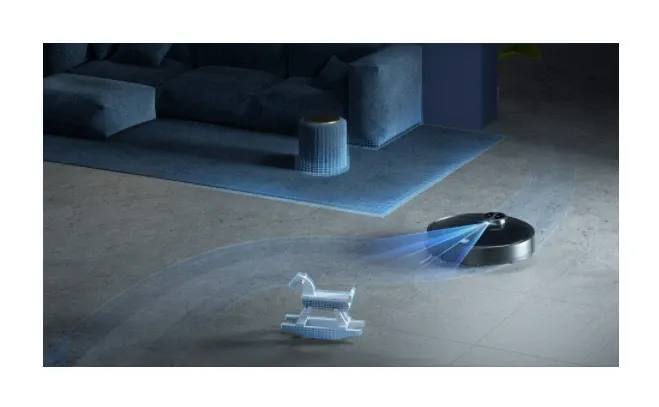
The laser on top spins ten times per second. It captures thousands of data points. It builds a precise map even in low light. The robot outlines walls first, then cleans in straight lines. This prevents missed patches.
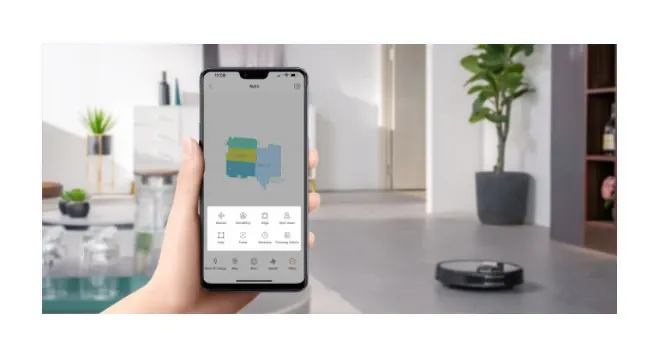
When you move furniture, the map updates on its own. The next session is just as accurate. You can label rooms in the app. You can draw no-go zones to keep the robot away from pet bowls or toy areas.
The LiDAR sensor works with a SLAM system. It updates the map in real time. It adapts to any change in your home. Coverage stays thorough every single run.
Deep-Down Cleaning Power
A Japanese Nidec motor delivers 4000Pa suction. That's strong enough to lift fine dust and dirt from grout lines. It's also gentle on hardwood floors. The main brush and rubber side rollers cut down on hair tangles. They keep the underside clean between sessions.
You can pick from four power levels. Use a low setting on hard floors. Switch to max for thick carpet. This saves battery and gets the job done right.
Low-Maintenance by Design
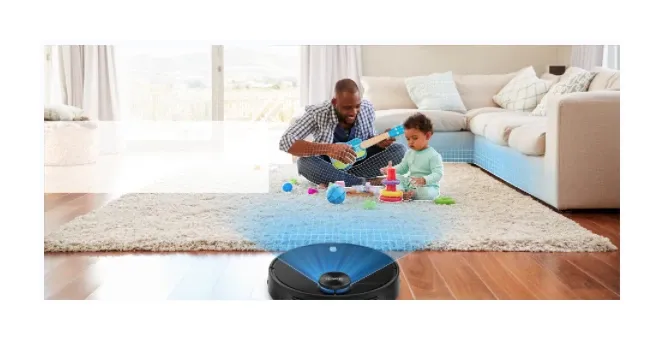
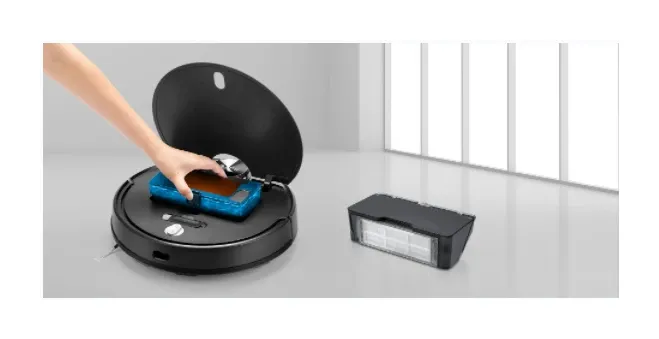
You'll spend less time on upkeep with this robot. The HEPA filter is washable. The 300 ml dustbin pops out in seconds. Side brushes snap in and out without tools. Replacement parts are easy to find online. There's no subscription needed. That keeps long-term costs lower than many rivals.
Smart 2-in-1 Vacuum and Mop
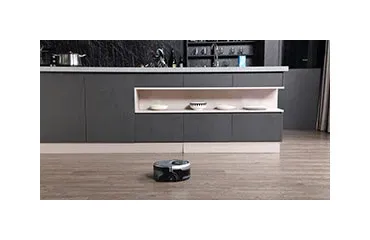
Most robots make you swap tanks. The ILIFE A11 doesn't. It uses one combined dust-and-water unit. The 300 ml dustbin handles dry debris. The 200 ml water tank feeds the mop cloth at the same time. Water flows at a steady rate. It keeps the pad damp but not wet. No puddles on hardwood. No streaks on tile. Just fill the tank, attach the cloth, and let it go.
Intelligent Navigation Technology
The LiDAR system maps your home in minutes. It plans the most direct cleaning path. The laser turret captures data even in total darkness. It stores up to five floor layouts. Switching floors needs no reset. You can draw no-go zones right in the app. Keep the robot away from fragile items or pet dishes.
Powerful Suction Results
The Japanese Nidec motor runs at four modes. Quiet mode is great for nighttime cleaning. Max mode pulls dirt from deep carpet fibers. The main brush floats up and down to stay in contact with uneven floors. The edge brush pushes debris inward. Nothing gets left behind near walls.
Smart Features for Every Day
The 5200 mAh battery lasts up to 150 minutes. That covers large homes in one run. When power runs low, the robot goes back to charge on its own. Then it picks up right where it left off. You can schedule rooms, set power levels, and check history in the ILIFE Vac app. Alexa and Google Home voice commands work too. A full charge takes about four to five hours.
App and Remote Control
The ILIFE Vac app gives you full control. Adjust suction, set schedules, and view maps from your phone. The included remote is handy when you'd rather not open the app. Both let you start, pause, or send the robot to a specific spot right away.
How the A11 Compares
ILIFE A11 vs. Anker G40 Hybrid: The G40 can mop, but you must swap the tank. The A11 vacuums and mops in one pass. The A11 also has real LiDAR and a bigger battery. It's the better pick for larger homes.
ILIFE A11 vs. Wyze RoboVac: Wyze costs less but can't mop. It also lacks true LiDAR. The A11 maps more accurately, has stronger suction, and cleans in a single pass. The price gap is worth it if you want a full floor care solution.
Setup Guide
Unboxing and Dock Placement
- Remove all plastic wrap and tape from the vacuum and dock.
- Place the dock against a wall. Leave at least one meter on each side and two meters in front.
- Plug in the dock and check that the light turns on.
Initial App Setup and Wi-Fi Connection
- Download the ILIFE Vac app from the App Store or Google Play.
- Create an account. Tap "Add Device" and pick the A11.
- Follow the on-screen steps to join your home Wi-Fi network.
First Cleaning Session and Mapping
- Place the A11 on the dock and confirm it docks correctly.
- Tap "Clean" in the app to start the first mapping run.
- After the run, check the map. Label rooms and add any no-go zones.
Troubleshooting
Poor Mapping or Navigation Errors: If the robot misses rooms or hits invisible walls, check the LiDAR turret on top. It must be free of dust. Restart the robot and run a fresh mapping session. Make sure the floor has no very dark or shiny surfaces that may confuse the sensor.
Robot Not Returning to Dock: Check that the dock is plugged in and the area around it is clear. If the robot still can't find it, delete the saved map and let the A11 remap the space.
Weak Suction or Missed Debris: Empty the dustbin and rinse the filter. Check the main brush and side brushes for hair. Switch to a higher power level for thick carpet.
Frequently Asked Questions
Q: How long does the battery last? A: The ILIFE A11 runs up to 150 minutes per charge. It covers about 2,690 square feet.
Q: Does it support both dry and wet cleaning? A: Yes. The 2-in-1 tank handles both at the same time. No swapping needed.
Q: How well does the mop work? A: The mop cloth gets even water across the floor. It leaves surfaces streak-free and dry fast.
Q: What is the dustbin size? A: The dustbin holds 300 ml. The water tank holds 200 ml. Both fit in one compact unit.
Q: How accurate is the map? A: The LiDAR and SLAM system update the map in real time. It stays accurate even after you move furniture.
Q: Are troubleshooting resources available? A: Yes. The ILIFE website has tips for common issues. The ILIFE Vac app also has a support section with firmware updates and guides.