
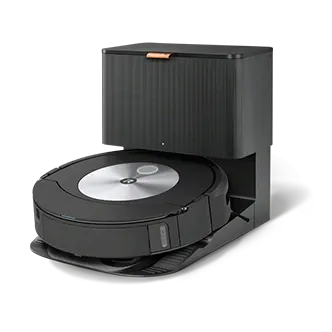
Want your iRobot to be even more smart? With modern features of the iRobot Home app and a few simple settings, you can significantly increase cleaning comfort and precision. From creating intelligent maps to personalizing schedules and integrating with voice assistants - discover the best ways to maximize your robot's potential.
How Does the iRobot Home App Make Your Robot Smarter?
The key to transforming an ordinary vacuum into an advanced device is the iRobot Home app. This is where you'll configure the most interesting features. The most important ones are:
- Creating intelligent maps - the robot scans your space, creating up to 10 maps of your home, which you can easily edit. You mark rooms, designate high-traffic cleaning zones, and set no-go zones or mopping-restricted areas.
- Cleaning personalization - you decide on suction power, number of passes, and mopping modes, such as activating SmartScrub for intensive cleaning. You can also choose to clean only specific rooms.
- Cleaning schedules - set when and how often the robot should work, adapting them to your lifestyle and needs.
With these options, control becomes intuitive, and cleaning becomes more efficient.
How to Effectively Use Intelligent Maps in iRobot?
The maps created by your robot form the foundation of its intelligence. The app allows you to:
- Edit room names for easy navigation.
- Set boundary lines to exclude unwanted areas.
- Create no-go zones - for example, where delicate items or carpets you want to protect are located.
In models with PrecisionVision navigation, the robot even takes photos of obstacles it encounters during cleaning. This is a unique option that lets you decide whether an obstacle is permanent and requires a no-go zone, or if it was just temporary.
Voice Control and Smart Home Integrations
If you want your iRobot to be smarter, I recommend using integration with popular voice assistants. Roomba, especially models like j7+ or Combo, work with Google Assistant and Amazon Alexa. This allows you to:
- Start and stop cleaning with simple voice commands.
- Activate cleaning modes without using your phone.
- Receive voice notifications about the robot's status.
This gives you full control over your device even when your hands are busy.
Essential Tricks for Smart iRobot Operation
It's worth using additional features that not only increase convenience but also extend your vacuum's lifespan:
- Regular cleaning and replacement of brushes and filters - prevents failures and maintains high suction power.
- Setting "Spot Clean" mode in the app when you need intensive cleaning of a specific area, such as after a spill or crumbs.
- Verifying obstacle photos after a cleaning cycle to adjust the robot's behavior for the future.
With these simple steps, your device will become more precise and economical.
List of Key Features That Will Make Your iRobot Smarter:
- Creating and editing up to 10 home maps.
- Personalizing cleaning modes (power, number of passes).
- Designating no-go cleaning and mopping zones.
- Schedules adapted to your lifestyle.
- Voice control through Google Assistant and Alexa.
- Automatic device status notifications.
- SmartScrub function - active scrubbing while mopping.
- Remote access to your robot through the mobile app.
- Obstacle analysis and memory with map editing capabilities.
By using these features, you can make your robot a true helper that works independently and with precision perfectly tailored to your home.
Best Practices for iRobot Care and Maintenance
To keep your iRobot in excellent condition, beyond proper app configuration, pay attention to regular device maintenance:
- Clean main and side brushes every 2-3 cleaning cycles.
- Check and replace filters according to manufacturer recommendations.
- Remove debris from wheels and sensors.
- Update software through the app when needed, which enhances automation levels and improves smart features.
With these simple steps, your robot will maintain high efficiency for a long time.
Advanced Automation Strategies for Maximum Intelligence
Beyond basic setup, you can leverage advanced automation techniques to make your iRobot work intuitively with your daily routines. Create geofencing automation that triggers cleaning when you leave home, or set conditional schedules based on day of week and time. Integrate with smart home systems so your iRobot coordinates with other devices - for example, starting a cleaning cycle only when windows are closed to prevent dust from escaping. Use the room-specific scheduling feature to clean high-traffic areas more frequently while saving battery on less-used spaces. These sophisticated automations transform your robot from a scheduled device into a proactive partner that anticipates your household's needs.
Conclusion
To make your iRobot smarter, start with thorough personalization using the iRobot Home app and take advantage of features like intelligent maps, zone management, and schedules. Adding voice assistant integration and regular maintenance will give you a device that not only keeps your home clean but does so effectively, independently, and conveniently. Your iRobot will transform daily cleaning into a truly intelligent activity.
Personalize, plan, and control your iRobot to make it the smartest cleaner in your home!