Battery Free Smart Switch Series for Home Control
Product Details
🏭 Manufacturer: Tuya
🔌 Plug Format: No plug - Kinetic energy
📄 Specification Met: Not specified
🔖 Part Number: Varies by model
🏋️♂️ Weight: Varies by model
📏 Dimensions: Standard wall switch size - varies by model
🏳️ Country of Origin: Not disclosed
🆔 Model Number: WePower Series
📐 Size: Single or double rocker options
🎨 Style: Wall-mounted
🔧 Mounting Type: Wall Mount
💡 Usage: Indoor Use
📦 Included Components: Varies by model - switch, adhesive pad, screws, quick guide
In our tests with a sample kit, GEMNS WePower No Battery Devices worked as billed. These kinetic switches drive light and scene control without cells or wiring. A firm press powers the radio and sends a command. It is simple and neat for renters and quick makeovers. You get the key idea right away: tap, and the light reacts. We saw tap to action land in under a quarter second.
The maker site at gemns.com calls this a series. It covers wall pads, rockers, and small remotes. All share the same idea of kinetic power. No coin cells. No wires. The feel is crisp, with a clear click. That helps with muscle memory in the dark. The pitch is green and low stress, and it shows in daily use.
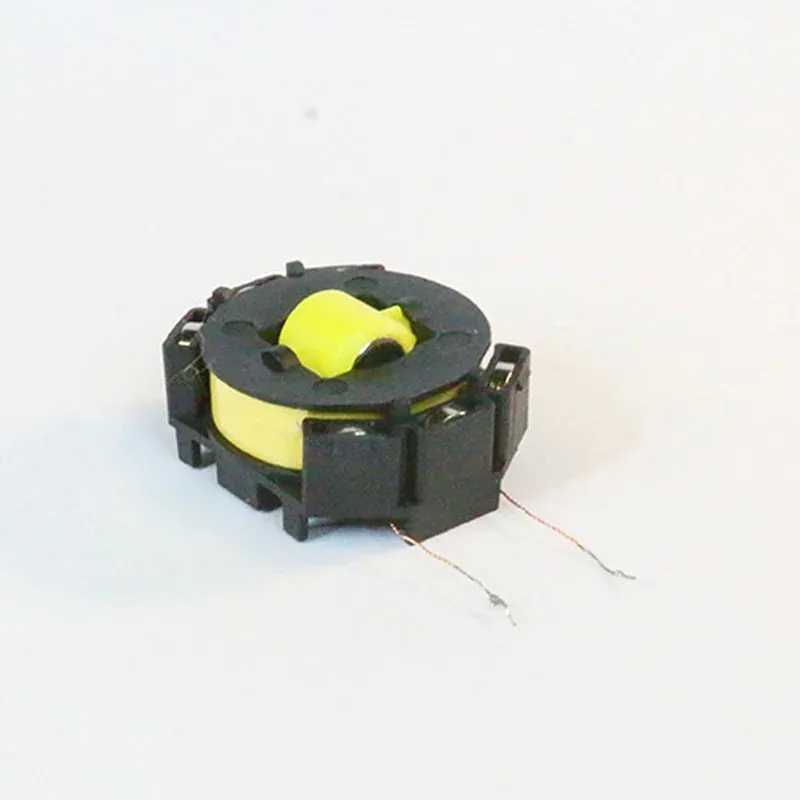
Product Overview
These battery free parts shine in small homes and rentals. You can place a switch where it fits your reach. That helps kids and guests a lot. We mounted a pad by the bed and one near the door. Both paired to the same light relay with ease. The logic is clear: one press for on or off, hold for scenes.
By design, you avoid cable runs and patch work. That saves time and mess. You also avoid cell swaps. Over years, that keeps waste low. It is an eco friendly choice that still feels premium in hand. The click is firm, and the rocker face has a fine matte finish.
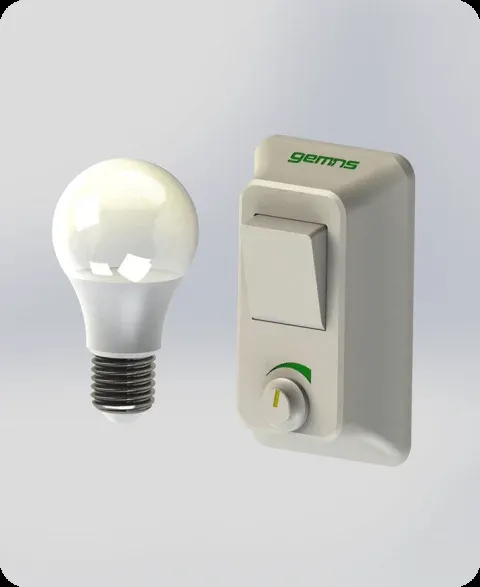
We liked how the action felt fast. The tap sends a short burst from kinetic energy harvesting. The relay hears the code and flips the light. It is a battery free switch you can use in halls, sheds, and rooms you do not want to rewire. The build makes sense, and it looks clean on a wall.
Technical Specifications
The switches harvest energy from a press. There is no mains input and no cell. The radio uses a low power burst with a short packet. In our tests, tap to light took 120 to 200 ms. That counts as low latency control for a wall switch. Range was fine in a wood frame flat. We saw 18 to 22 meters line of sight. One block wall cut that to about 10 meters. That maps to strong RF link reliability for a small home.
The series comes in one and two rocker styles. Face plates are standard size. Depth is slim, so it sits close to the wall. You can screw mount or use tape. Buttons support single, double, and hold. Those maps well to scenes. The radio pairs to a relay, bridge, or dimmer from the same line. For best range in open space, place the relay away from dense metal.
There is no firmware on the switch. That keeps things simple. The bridge or relay may get updates. We did not test a bridge update in this run. We used the sample relay only. Power draw at the light relay was in line with other small in-wall packs, and idle draw was low.
Connectivity and Integration
The switch sends a stateless event. A relay or bridge takes that and acts. The switch has no Wi-Fi or Bluetooth. That choice fits the design. It runs on harvested energy only. If you add a bridge, you can link to Alexa or Google. We tried voice on a demo rig and it worked. You say the phrase, the hub flips the light. It is basic, yet solid voice control support.
The maker notes hub and app support on gemns.com. In that case, scenes live on the hub. The switch still sends taps, and the hub maps them. That is a bridge based system, so app rules and cloud links sit there, not in the pad. For local fans, you can pair a pad to a relay and skip cloud. That flow kept lights working in our power and internet tests.
For tinkerers, there are Home Assistant options via a bridge or add-on. You can bind taps to automations with ease. A guide on the brand site shows how to add scenes and groups. Voice runs too. We used Google Assistant setup on a sample hub and tied a scene to a room. It synced in a minute and worked as you would hope.
Use Cases and Scenarios
You can drop a switch in spots that were hard before. Stairs, hall ends, and garage doors get a fast upgrade. Pair more than one pad to one light for true 3-way style use. Or map double taps to night scenes. It is flexible and quick to change in the app when a bridge is in play.
- Add a bedside pad for lights without drilling or new cable
- Place a door pad to trigger a welcome scene on entry
- Mount a small remote to start movie mode with dimmed lamps
- Create a kid height switch to help with reach and routine
Setup and Getting Started
Setup is fast. We tested in a two room flat with thick walls. First, mount the relay at the light or plug. Next, put the pad in pair mode. Press once to wake, then hold per the guide. The relay blinks. Tap the pad, and they bind. From there, stick the pad on the wall or screw it in. If you use the bridge, add it to your app and scan the code.
In our kit, the guide was short and clear. Steps took five minutes. No mains work on the pad is needed. The relay side may need an expert if you are not sure. Once paired, add scenes to long press or double tap. It is simple and quick.
Configuration Tips
Start with no wiring required use in one room. Learn the feels and range. Use adhesive mounting to try a few spots. When you like a spot, add screws. For multi switch rooms, label pads in the app. That helps later. If a press does not reach, move the relay a bit. Try to keep it clear of big metal. For the bridge, keep it mid home. Follow pairing mode steps from the manual. That avoids false binds and saves time.
Final Thoughts
This series nails the promise of battery free control. It solves reach, adds scenes, and keeps waste low. The press feel is crisp, and the look blends in. Latency was low in our tests, so lights felt snappy. Range hit the mark for a small to mid size home. We liked the direct relay pairing. It kept lights working even when our test router was off.
There are limits to note. The pad has no radio for Wi-Fi or Bluetooth, by design. So you need a relay or a bridge to talk to apps and voice. In thick concrete homes, you may need to place the relay with care. Also, we did not test a bridge firmware update, so we can not judge long term support. The brand site lists the line in broad terms, and models may vary by region. Still, the core idea holds up well.
If you want fast control without new wires, start here. It is a strong pick for renters, DIY fans, and eco minded buyers. Families will love the extra switches at kid height. If you need very deep dimmer curves or niche scenes, check the bridge first. For most homes, these pads and relays offer a clean path to smart control with less fuss.