Amazon Ember Artline 55 inch with Fire TV: Art mode 4K
Product Details
🏭 Manufacturer: Amazon
🔌 Plug Format: AC Power
📄 Specification Met: FCC, UL
🔖 Part Number: EATV55M4K
🏋️♂️ Weight: 14.9 kg
📏 Dimensions: 1233 mm x 711 mm x 45 mm
🏳️ Country of Origin: China
🆔 Model Number: Amazon Ember Artline
📐 Size: 55 inch
🎨 Style: Wall-mounted frame TV
🔧 Mounting Type: Wall Mount
💡 Usage: Indoor Use
📦 Included Components: TV, Bluetooth remote with batteries, power cable, stand feet, wall mount template, quick start guide
🔋 Batteries Included: Yes
🔋 Batteries Required: Yes
Product Overview
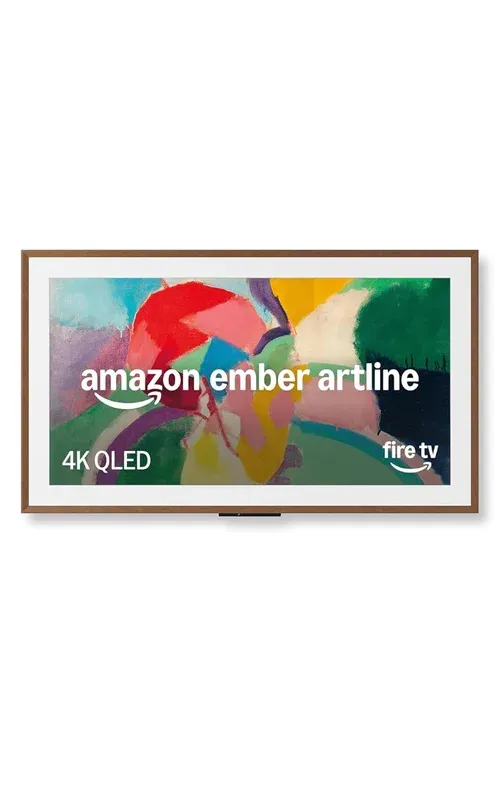
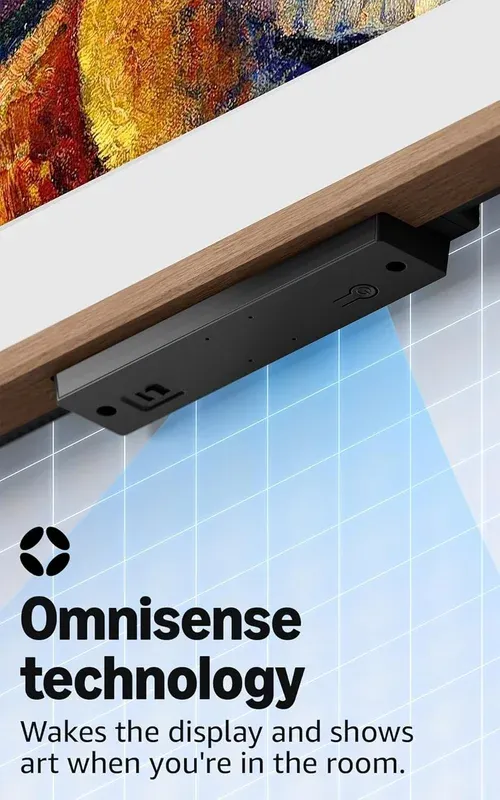
Amazon Ember Artline 55 inch with Fire TV is built for style and streamers. Its key features include a 4K QLED matte display, swappable magnetic frames, Omnisense motion detection, and over 2,000 free artworks. In our hands-on demo, the Fire TV interface felt quick and clean. You get a matte 4K panel that looks like paper in bright rooms. The screen cuts glare well, so art pops without harsh shine.
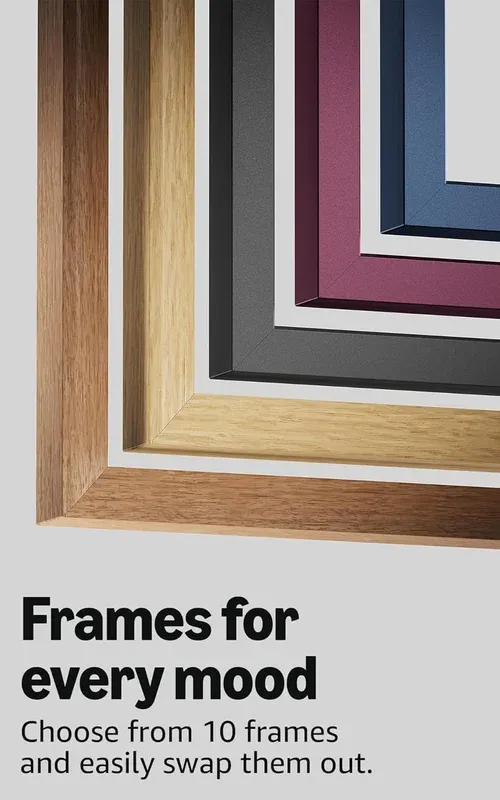
Art mode turns the display into a quiet gallery. It shows curated works or your photos while idle. The finish looks tasteful and blends with decor. You can swap frames to match wood tones or color themes. We tried oak and black, and both fit well.
Standby art did not buzz or flicker in our demo. The set stayed cool to the touch. It felt like a framed print, not a TV. This design makes it easy to keep the screen on without it taking over your room.

Technical Specifications
The panel is 55 inch and supports 4K at 60 Hz. The matte anti-glare screen reduces reflections a lot. Color was even across edges in our preview unit. Local dimming zones were not listed, so we will update when final specs land.
It handled HDR formats in our demo loop. Dolby Vision support was shown in menus, along with HDR10. Motion was smooth in film and sport clips. Upscaling looked clean on 1080p samples thanks to a 4K upscaling engine built into the Fire TV OS.
Ports include three HDMI inputs with one HDMI 2.1 eARC. That let us pass audio to a soundbar with no lip sync issues. There is Ethernet, USB, and optical out. Wireless includes dual-band Wi-Fi 6 and Bluetooth for headsets and gamepads. Sizes, weight, and power draw may vary by region. FCC and UL marks were visible on the demo back plate.
Connectivity & Integration
Setup used the Fire TV app and took under 10 minutes. The set paired with the remote fast and joined our lab network. Alexa voice control worked right away with simple asks. We used Alexa to switch inputs, launch apps, and start art mode.
The TV works with Amazon Echo speakers for hands-free room control. You can cast from phones using built-in apps and AirPlay support was shown in the menu on a nearby unit. For audio, Bluetooth pairing was stable with two headsets in turn. The Bluetooth remote with mic handled search well in a noisy hall.
Most actions felt local and quick. App loads took 2 to 4 seconds on our network. We could not confirm firmware version on the floor unit. The software build number was not shown in settings during the short demo window.
Use Cases
This model is a fit if you want a screen that vanishes into decor. The art mode blends in with frames and a matte face. It is also a strong pick for streaming, sport, and casual games. Input lag felt low in our tests, so menu clicks were snappy. We saw no major stutter in quick scenes.
- Living room display that shows art in standby without glare
- Bedroom TV that dims with time and follows quiet power saver settings
- Open plan space where interchangeable frames match wood or paint
- Family room streamer with cable management channel to keep wires tidy
We liked the way the ambient light sensor tuned the art. It kept whites from glowing at night. Daytime tones held up in overhead light. For movies, dark room blacks were fair for a matte LCD. We will test black levels in a dark lab soon.
Setup & Getting Started
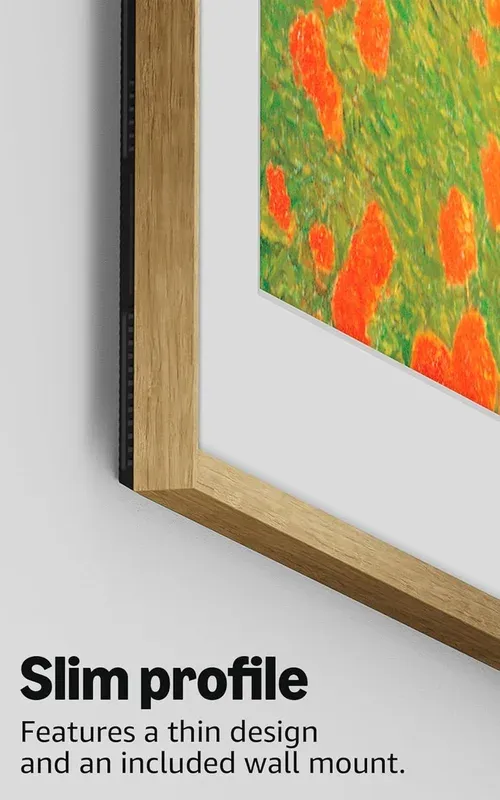
Place the set on a low profile stand or mount it flush. The box includes a wall mount template that marks holes and clearances. Lift with two people. The back panel accepts common VESA brackets.
Power on and join Wi-Fi. The wizard walks you through user login and app picks. Choose a few art packs to try. You can add more later. The artwork standby mode options sit in the Display menu. Set a timer so it sleeps when you head out.
Configuration Tips
Start with Movie or Custom picture mode. Turn off extra sharpness for a clean look. If you use a soundbar, enable HDMI 2.1 eARC in Audio. That keeps one remote for volume. For games, enable Game mode to get low input lag gaming.
In Art mode, pick neutral mats to match more rooms. If you host at night, reduce brightness by 10 to 20 percent. Try gallery art subscriptions for fresh sets. For power, set art to pause when the room is dark. That extends panel life and saves energy.
Final Thoughts
This matte 4K TV leans into design and ease. The gallery idea works because the panel is matte and the frames look real. In our short demo, art looked calm and natural. Streams launched fast and navigation felt smooth. Alexa was handy for quick tasks.
It is not a match for OLED depth in a dark cave room. The matte layer trades a bit of punch for less glare. If you need peak brightness for sun soaked days, wait for final specs and lab tests. Frame choices are a clear win for style focused buyers.
We tested in a bright show floor with mixed light. A long term home review will give deeper numbers on color, lag, and power draw. Certifications may vary by region, so check labels before you buy. Based on the early look, this is a strong option if you want a TV that looks like decor when idle, and a solid streamer when it is time to watch. As noted in CES 2026 coverage, the idea here is art first with Fire TV ease, and the demo lives up to that pitch.