Tactacam Defend 360: Panoramic outdoor security coverage
Product Details
🏭 Manufacturer: Tactacam
🔌 Plug Format: AC Power
📄 Specification Met: TBD
🔖 Part Number: TBD
🏋️♂️ Weight: TBD
📏 Dimensions: TBD
🏳️ Country of Origin: TBD
🆔 Model Number: Defend 360
📐 Size: TBD
🎨 Style: Security camera
🔧 Mounting Type: Wall Mount
💡 Usage: Outdoor Use
📦 Included Components: Camera, mounting kit, power adapter, quick start guide
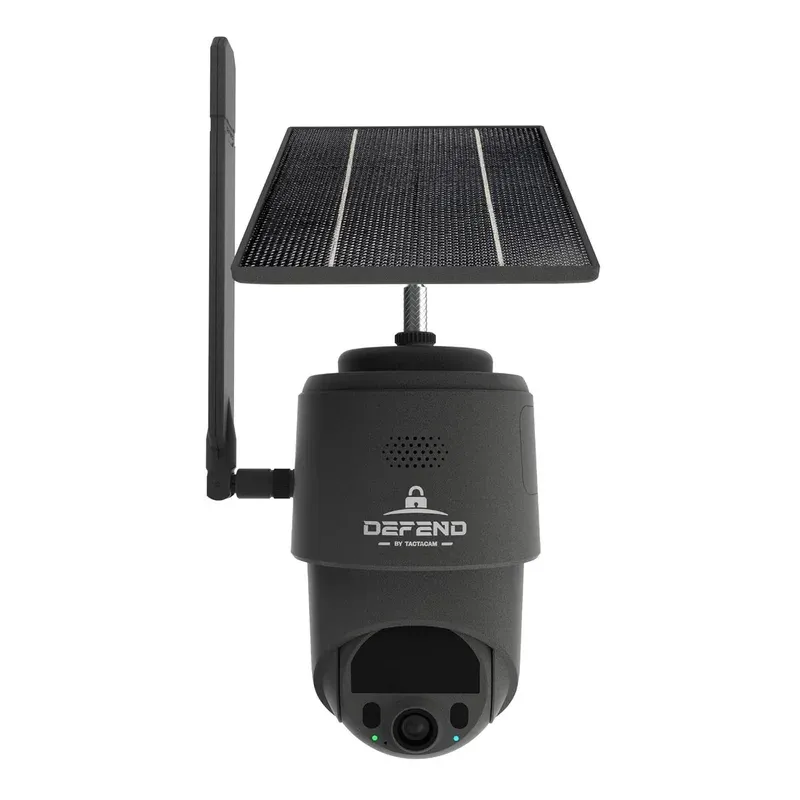
Product Overview
Tactacam Defend 360 is an outdoor camera built for a full house view. The pitch is simple. It gives a ring-free sweep around your yard for always-on 360 degree field of view. At CES 2026, the team showed off panoramic coverage and quick alerts. You get the promise of wide sight with less blind spot risk.
In our hands-on at the booth, this outdoor security camera felt solid. The mount locked tight and pan moves looked smooth. We saw a live demo feed that covered a porch, a drive, and a side gate at once. Tactacam positioned the Defend 360 as a standout debut at CES 2026.
Hands-on impressions at CES 2026
This was a CES 2026 reveal, so the unit we saw was pre-release. We did not see a firmware screen, so version info was unknown. The app UI looked clean with a round map view. We tapped to jump to zones and the image slewed fast. On a busy floor, the demo showed real-time alerts pop up within a second or two. That was in a show hall though, not a house.
Technical Specifications
The maker has not posted full specs yet. Based on the design, we expect hardwired power with an AC adapter in the box. The shell looks sealed and should have decent weather resistance. We could not confirm IP rating. We also could not confirm storage. The rep would not say if there is a card slot or cloud plan. We will update once specs move from TBD to firm data.
Lens-wise, a 360 module pairs with tilt and pan. That allows a stitch-free view in the app. We asked about low light. The team said it will have IR, but did not share range. So night vision quality is still a question mark. The demo unit streamed over Wi-Fi at the booth. Band support was not shared. We did not see Ethernet on the shell, but the mount plate hid some ports. Until the sheet is public, consider the radios and codecs unconfirmed.
Connections and platform support
We asked what it works with. No lock-in was stated. The demo app showed email and push alerts in real time. Voice assistant links were not confirmed. The team avoided firm claims on Alexa or Google Assistant. Local video save, RTSP, or NAS support also were not shared. This is common at trade shows, so we will wait for the final app. For now, plan on a first-party mobile app for remote viewing and device control.
On privacy, we pressed the rep. They said user data will be protected, but did not cite the method. There were no details on encryption, SOC audits, or standards like ISO 27001. Treat privacy controls as to be confirmed. If you need strict proof, wait until the company posts a whitepaper or a compliance note.
Use Cases
A 360 rig like this shines when you need reach. One device can watch a wide yard, a long drive, and a side path. It can cut camera count and close house perimeter gaps. You can use pan jumps to zoom in on a gate when a van pulls up. Or swing to the porch if a package drops. You could even place it near a corner and still get a back fence line.
The demo showed quick alerts on movement. We expect support for motion zones, so you can cut false flags from trees or a road. That said, the team did not confirm person or vehicle tags. If those ship later, they could help a lot. The 360 lens also helps track where a motion started. That beats guessing from a narrow frame.
- Porch and drive watch from one mount
- Pool and yard sweep with fewer blind spots
- Farm gate and barn path from a single angle
- Corner mount to cover two sides at once
Getting Started
The mount plate felt simple to place. Mark holes, run the cable, and hang the head. The setup process in the demo app took a minute with a QR scan. On your network, place the unit where the signal is strong. Keep it near the area where you need wide coverage most.
If you must run a long cable, plan the route first. Use drip loops and seal points. Keep the lens clean and check aim after storms.
Configuration Tips
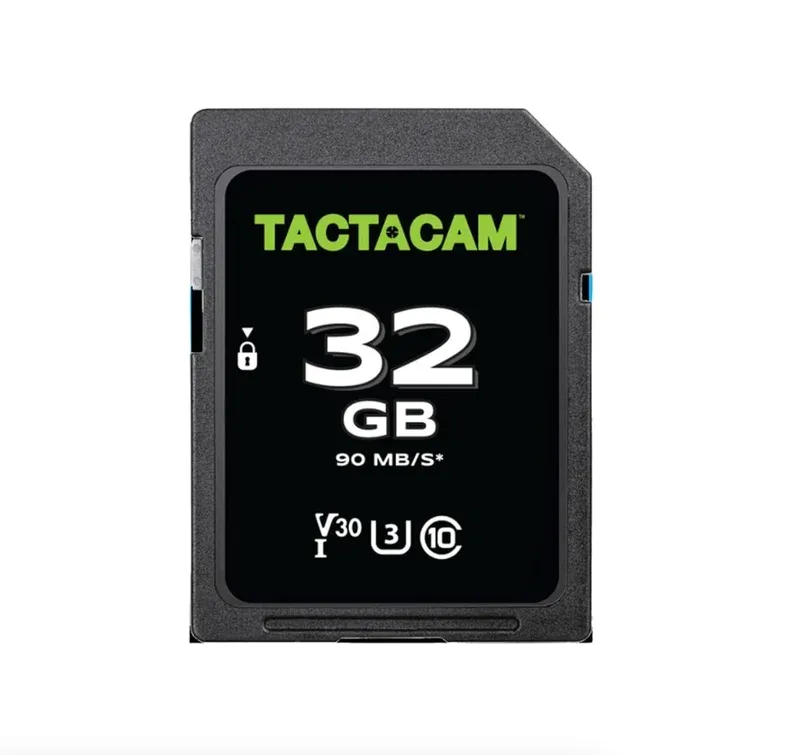
Start with a low alert rate. Add zones one by one. Test them at night and day. If the app supports scheduling, set quiet hours for late nights. If there is a light near the unit, angle it to avoid glare. If cloud plans are offered, pick a trial and see if clips save fast. If local save is an option, format the card in the app and test a clip before you rely on it.
Security and trust notes
This is a new camera. We saw a pre-release demo only. The company has not shared certs yet. There is no word on UL, FCC grant numbers, or IP rating. There is no claim on end-to-end crypto or key storage. For a device that watches your yard, these facts matter. Do not assume them. Wait for a data sheet, and look for clear claims with test marks.
If it offers continuous recording, check the write life of the card and heat. If it relies on push alerts alone, test them on your phone and a partner phone. Try remote viewing on LTE, and see how fast it loads. If the model adds two-factor login, turn it on. Use long app passwords and keep updates on.
Who should consider it
If you want fewer cameras, this could help. A 360 unit can sweep more area from one spot. If you are sensitive to brand apps, wait to see if it works with your hub of choice. If you need strict proof of data care, hold off until the team posts a policy and certs.
Final Thoughts
Tactacam Defend 360 aims to reduce blind spots and wiring. The pitch is clear, and the early demo was smooth. We liked the fast pan jumps and the broad view. The idea of full house view with one mount is strong. It could give practical outdoor security coverage with less fuss.
It is still a CES 2026 reveal, so details are thin. We did not get specs on power draw, radio bands, or storage. We did not see a privacy whitepaper. We also could not test motion after dark. That makes it hard to judge image noise and light bloom. If you need a camera today, choose a current model with public specs. If you can wait, watch for firm details, a posted user guide, and third party tests.
We tested on a busy show floor with live booths on all sides. That is not the same as a quiet yard with brick walls. Our time was short, and the firmware version was not shown. Treat these notes as first looks. When the retail unit ships, we will test alert speed, night range, and long term weather seal. Until then, the concept looks strong and worth a close look for wide coverage needs.