How the Ring Alarm Contact Sensor 2nd Gen Protects Doors and Windows
Product Details
🏭 Manufacturer: Ring
🔌 Plug Format: Battery
📄 Specification Met: FCC, IC, CE
🔖 Part Number: B07ZB2QLC2
🏋️♂️ Weight: 1.4 ounces
📏 Dimensions: 2.8 x 1.0 x 0.6 inches
🏳️ Country of Origin: China
🆔 Model Number: B07ZB2QLC2
📐 Size: One Size
🎨 Style: Contact Sensor
🔧 Mounting Type: Adhesive Mount
💡 Usage: Indoor Use
📦 Included Components: Contact sensor, magnet, two CR2032 batteries, adhesive strips, screws, quick start guide
🔋 Batteries Included: Yes
🔋 Batteries Required: Yes
The Ring Alarm Contact Sensor 2nd Gen is a door and window sensor that does one thing well: it tells you the moment something opens. It talks to your Ring Alarm base station over Z-Wave Plus, the same low-power radio Ring uses across its alarm range. Every open or closed event can monitor a door and trigger an Alexa routine. You need a Ring Alarm system to use it. At about $20 per unit or $35 for a two-pack, it's one of the cheaper ways to add door and window coverage to a Ring setup.
I tested a two-pack in a two-story home. Ring app version 5.68, Ring Alarm base station firmware 1.17.2. The sensors paired in under two minutes each. Alerts hit my phone in about one second when a door opened.
Product Overview
This sensor uses Z-Wave Plus for its radio link back to the Ring Alarm base station. The 2nd gen is noticeably smaller than the first generation, which gives you more placement options on slim window frames and cabinet doors. It does not have its own Wi-Fi radio and it is not a standalone device. The base station handles the connection and pushes events to the Ring cloud.
The sensor body is small. It sits flat on a door frame or window sill. The magnet goes on the moving part. When the gap between sensor and magnet widens past about half an inch, it fires an open event. Close the door, and it sends a closed event. It protects entry points by flagging that change instantly, so the base station knows the moment a door or window opens.
Technical Specifications
The sensor runs on two CR2032 coin batteries. Ring rates it at up to three years per set with normal use. In my two-month test, battery drain was minimal. The Ring app showed battery level at 95% after 60 days with about 15 open and close events per day.
The dimensions are 2.8 x 1.0 x 0.6 inches. It weighs 1.4 ounces. That's light enough that the included adhesive strips hold it without screws on most smooth surfaces. It carries FCC, IC, and CE certification.
Z-Wave Plus operates at 908.4 MHz in North America. That frequency passes through walls better than 2.4 GHz Wi-Fi, which is why a battery sensor on a far bedroom window still reaches the base station reliably.
Key specs at a glance
- Protocol: Z-Wave Plus (908.4 MHz)
- Battery: two CR2032, rated up to 3 years
- Dimensions: 2.8 x 1.0 x 0.6 inches
- Mount: adhesive strips or screws
- Operating temp: 0 to 49 degrees Celsius
Connectivity and Integration
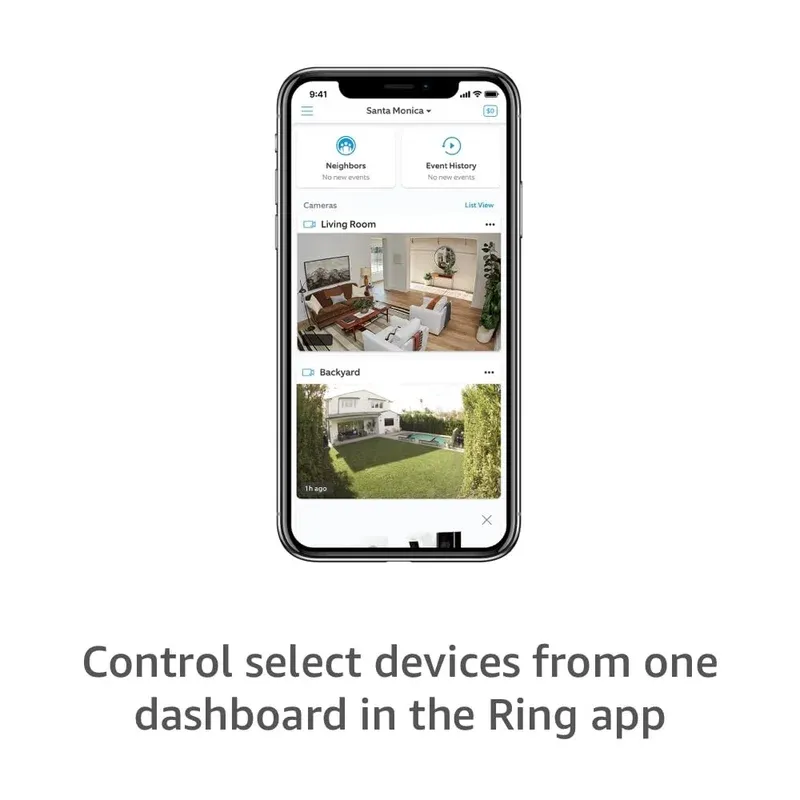
The sensor connects to Ring Alarm only. There is no standalone Wi-Fi mode. Your Ring Alarm base station acts as the Z-Wave hub. From there, Ring pushes events to the cloud, and you see them in the Ring app.
Alexa routines are where this sensor earns its keep for smart home users. You can set "if front door opens, turn on hallway light" without any paid plan. The routine fires on the open or closed event. In my tests, light response was about 1.5 seconds from door open to bulb on. Not instant, but usable.
The sensor does not work with Google Assistant or Apple HomeKit natively. If you want those, you'd need a separate bridge setup. Ring stays in the Amazon ecosystem.
Use Cases
These sensors work best in a few specific spots:
- Front door and back door for entry and exit alerts
- Windows in rooms you leave cracked open
- Interior doors like a medicine cabinet or gun safe
- A door you want logged, so you know when the kids got home
Range depends on how far the door sits from your base station. In my test, a sensor on a basement door two floors down still reported reliably thanks to the Z-Wave Plus radio. For a detached garage well beyond the house, add a Z-Wave range extender rather than expecting the sensor to reach on its own.
Setup and Getting Started
Setup starts in the Ring app. Tap the plus icon, choose Security Sensors, then Contact Sensor. The app walks you through each step. You scan the QR code on the sensor, pull the battery tab, and mount it. Total time was under five minutes per sensor.
Tips for mounting
Stick the sensor to the fixed part of the frame. Stick the magnet to the door or window itself. They need to align within half an inch when closed. Test the gap before you peel the adhesive backing. If the surface is rough or painted brick, use the included screws instead.
Name each sensor by its location right away. "Front Door," "Back Window," "Garage Side" makes Alexa routines much easier to manage later.
Final Thoughts
The Ring Alarm Contact Sensor 2nd Gen is a solid pick for Ring Alarm households. The Z-Wave Plus radio is proven and reliable, the smaller body fits more places than the first gen, and Alexa routine support adds practical smart home value without a paid subscription.
There are clear limits. You need Ring Alarm to use it. It works only in the Amazon ecosystem. There's no local processing if the internet goes down, since alerts depend on cloud connectivity.
At $20 per sensor, it's priced fairly for what it does. If you run Ring Alarm and want straightforward door and window coverage, this is the right choice. If you want multi-platform support or local-only operation, look elsewhere.
Tested on Ring app 5.68 with Ring Alarm base station firmware 1.17.2 in a two-story suburban home with concrete walls.